
AI Email Personalization for Peak Productivity
You open Gmail or Outlook to clear a few messages before your next meeting. Forty minutes later, you’re still in triage. One client needs a careful update. A teammate wants a quick answer that still sounds thoughtful. A customer asks a question you’ve answered before, but not in exactly this context. The primary drain isn’t reading email. It’s producing reply after reply that sounds like you, fits the thread, and doesn’t create more cleanup later.
That’s why ai email personalization matters far beyond marketing. In daily work, it’s less about blasting custom campaigns and more about getting high-quality replies into your Drafts folder before you touch the keyboard. The shift is practical. You stop writing every message from scratch and start reviewing drafts that already match your voice, your context, and your team’s knowledge.
For busy professionals, that’s the difference between email being a constant interruption and email becoming a supervised workflow. If you’ve looked into what email automation means in practice, this is the version that applies inside your actual inbox, not just in outbound sequences.
Table of Contents
- The End of Inbox Overload
- What AI Email Personalization Really Means for Your Inbox
- How AI Learns to Write Like You
- Real-World Use Cases and Business Impact
- Best Practices for Privacy and Security in 2026
- Your Implementation Checklist for Gmail and Outlook
The End of Inbox Overload
The hardest emails usually aren’t the long ones. They’re the short replies that still need judgment. You need the right tone for a frustrated customer, the right amount of detail for a direct report, and the right level of brevity for an executive thread. That mental switching is what burns time.
Consumer expectations have also changed. 52% of consumers say they’ll switch brands if emails lack personalization, and 63% never respond to non-personalized emails, according to these email personalization statistics. That standard doesn’t stay confined to newsletters. People now expect direct replies to feel specific, relevant, and human.
The work hidden inside every reply
A crowded inbox creates three separate jobs at once:
- Decision work: figuring out what needs a reply now, what can wait, and what should be delegated.
- Writing work: translating your intent into a message that sounds professional without sounding stiff.
- Recall work: digging up the last promise you made, the plan tier a customer is on, or the doc your team already published.
Practical rule: If a reply requires you to restate information your systems already know, that’s a workflow problem, not a writing problem.
Traditional productivity advice tells people to use canned responses, labels, folders, and stricter inbox rules. Those help. They don’t solve the core issue. A template can’t absorb the tone of a thread, and a rule can’t tell whether a reply should sound warm, direct, or diplomatic.
That’s where ai email personalization changes the job. Instead of asking you to become faster at repetitive writing, it gives you a draft that reflects your usual phrasing and the specific conversation in front of you. In practice, the role shifts from writer to editor. For most executives and team leads, that’s the first email workflow change that feels empowering.
What AI Email Personalization Really Means for Your Inbox
The term “personalization” often brings to mind a first-name token in a marketing email. That’s the old model. Useful for campaigns, limited for replies.
In Gmail and Outlook, ai email personalization means the draft itself adapts to the person, the thread, and your writing habits. It doesn’t just insert a variable. It mirrors your typical opener, your preferred sentence length, how direct you are, and how you usually close a message.
From mail merge to voice-aware drafting
The easiest way to think about it is this. A mail merge fills blanks. An AI reply assistant studies examples.
That matters because inbox work is full of nuance. A customer success manager might want concise reassurance. A founder might want short internal replies during the day but more detailed customer responses later. A support lead may need one tone for billing issues and another for product confusion. Static templates break as soon as the context shifts.
If you’ve spent time studying email marketing personalization strategies, the same principle applies here, but with a more demanding standard. Inbound replies have to sound natural at the individual level, not just segmented at the audience level.
Manual Replies vs. AI-Personalized Drafts
| Metric | Manual Emailing | AI-Personalized Replies |
|---|---|---|
| Speed | Starts from a blank page or old thread | Starts with a draft built from context |
| Tone consistency | Varies with stress, time, and who’s replying | Stays closer to your usual writing style |
| Thread awareness | Depends on how carefully you reread | Can account for the full conversation |
| Knowledge use | Requires manual lookup in docs or CRM | Can be grounded in connected sources |
| Scalability | Falls apart during high-volume days | Holds up better as inbox volume rises |
| Review effort | Heavy drafting, light editing | Light drafting, focused editing |
Two limits are worth stating clearly.
- AI is weak when your source material is weak. If your sent mail is inconsistent, rushed, or overly terse, the draft quality may reflect that.
- AI is also weak when it lacks business context. A polished response that contains the wrong plan detail or policy answer creates more work than it saves.
A good personalized draft should feel familiar enough that you edit for judgment, not for voice repair.
That’s the practical threshold. If you still have to rewrite the tone, reconstruct the facts, and reframe the answer, you don’t have personalization. You have autocomplete.
How AI Learns to Write Like You
The useful version of ai email personalization isn’t mysterious. It comes from combining pattern recognition with context. One part learns how you tend to communicate. Another part figures out what this specific email is about.
It studies patterns, not just words
A capable system learns from your sent mail. Not in the simplistic sense of copying phrases, but by detecting recurring choices.
That usually includes:
- Openers and sign-offs: whether you write “Thanks,” “Best,” “Appreciate it,” or skip the pleasantries entirely.
- Sentence rhythm: whether you write in tight, direct lines or fuller explanations.
- Formality level: whether your style sounds conversational, polished, or highly structured.
- Typical habits: how often you use bullet points, how you handle follow-ups, and whether you ask clarifying questions before giving an answer.
This is often called tone modeling. In plain terms, the system is building a profile of how you usually sound when you’re being yourself.
For some users, that’s about efficiency. For others, it’s about confidence. Non-native English speakers, people with dyslexia, and fast-moving executives often don’t need help deciding what to say. They need help expressing it cleanly and consistently under time pressure.
Context turns style into useful replies
Voice alone isn’t enough. A draft can sound like you and still be wrong.
The second layer is what many teams miss. The assistant has to read the thread, identify the important details, and pull in the right facts. That includes names, dates, promised actions, account details, order status, policy answers, or the last unresolved question in the conversation.
A practical way to break that down:
- Entity extraction identifies the moving parts in the thread. Who’s involved, what was requested, what deadline matters.
- Knowledge grounding connects the draft to the right source material, such as help docs, pricing pages, internal documents, or prior approved language.
- Live lookups pull current information from systems like a CRM, billing platform, or support desk so the draft reflects what’s true now, not what was true last month.
Style gets the message accepted. Grounding gets the message trusted.
Product choice matters. Some tools are built mainly for composition help. Others are built for operational replies inside Gmail and Outlook. Ellie, for example, drafts replies inside those inboxes, learns from sent mail, and can use connected business knowledge so the draft matches both the user’s tone and the team’s source of truth.
When these layers work together, the result feels less like a template engine and more like a well-briefed assistant. It knows how you usually speak, what the thread is asking for, and where to look before it answers.
Real-World Use Cases and Business Impact
The case for ai email personalization gets stronger when you stop measuring it as a writing novelty and start measuring it as an operational advantage. The value shows up when a team clears more email without lowering the standard of response.
A useful benchmark comes from reply assistants, not campaign tools. Sales teams save an average of 4.2 hours per week with AI reply assistants, according to the cited HubSpot finding in this analysis of AI-personalized outbound and reply workflows. The same source notes a Forrester finding that tools fail when they can’t integrate team knowledge, which is why live CRM and data lookups matter.
Where the time savings show up first
The biggest gains usually appear in repeatable but not identical replies.
- Sales follow-ups: A rep answers objections, confirms next steps, and references account details without reopening three systems. If your team is refining crafting converting follow-up emails, the win here is speed with context, not just prettier wording.
- Support responses: An agent drafts an answer using current help content and case context instead of pasting from macros and fixing the wording afterward.
- Executive inboxes: Leaders can clear internal threads faster because the first draft already reflects their usual tone, whether the reply needs a quick approval, a diplomatic decline, or a short status note.
- Operations and customer success: Teams can answer process questions, scheduling issues, and account requests with fewer manual lookups.
A lot of leaders compare this choice to hiring support. That’s useful up to a point. If you’re weighing a virtual assistant versus an AI email assistant, the difference is where the labor sits. A human assistant manages flow. An AI assistant helps generate the reply itself inside the flow you already use.
Why quality matters more than speed alone
Speed is easy to oversell. What matters is whether the draft reduces rework.
A weak system saves seconds up front and creates corrections later. It gets the tone slightly wrong. It misses the one important issue in the thread. It drafts something polished but vague. Teams abandon those tools quickly.
A stronger setup changes the economics of reply work because the human does less reconstruction. The rep edits specifics. The support agent checks policy accuracy. The executive adjusts nuance. But the heavy lift is already done.
If the draft doesn’t know your team’s facts, it won’t earn trust, no matter how fluent it sounds.
That’s why the most practical business impact comes from combining three things: native Gmail or Outlook use, learned writing style, and connected systems. Remove any one of those and the experience starts to feel partial.
Best Practices for Privacy and Security in 2026
Email is where contracts, customer issues, internal disagreements, hiring conversations, and payment questions all collide. That makes privacy the first adoption question, not the last one.
68% of professionals worry about AI tools retaining email data for training, yet only 12% of tools explicitly state non-storage policies, based on the Gartner finding cited in this discussion of AI email personalization and privacy risks. The same source points to emerging EU AI Act amendments as a serious reason to ask harder vendor questions now.
What to ask before you connect your inbox
Don’t settle for broad reassurance. Ask direct operational questions.
- Data use: Is email content used to train general models, or is it isolated from that process?
- Storage policy: What gets stored, for how long, and for what purpose?
- Residency and control: Where is data processed, and can the vendor explain that clearly?
- Permissions: Can different roles access different knowledge sources and inbox functions?
- Knowledge boundaries: If the tool connects to docs or CRM data, can you control which data is available to which team?
This is the same discipline security-minded teams use elsewhere. A narrow, technical review often reveals more than a polished marketing page. For teams building a procurement checklist, something like an AI code security audit can be a useful model for the level of scrutiny that AI vendors should withstand.
The safe way to adopt AI in Gmail and Outlook
The practical standard is simple. Use tools that are explicit about privacy, limited in scope, and clear about how they handle business data.
That usually means favoring tools that work inside your existing workflow instead of forcing email through a separate environment. It also means starting with lower-risk categories of communication first. Internal coordination, scheduling, common support questions, and straightforward account replies are safer proving grounds than highly sensitive legal or HR threads.
Trust in an AI email system comes from boundaries, not branding.
If a vendor can’t answer where your data goes, whether it’s retained, and how permissions work, stop there. Inbox productivity is valuable. It isn’t worth creating a governance problem you’ll have to unwind later.
Your Implementation Checklist for Gmail and Outlook
Many teams don’t need a long rollout. They need a disciplined one. The right ai email personalization setup should fit into existing Gmail and Outlook habits without forcing people to learn a new communications system.
A simple rollout that doesn’t disrupt your day
-
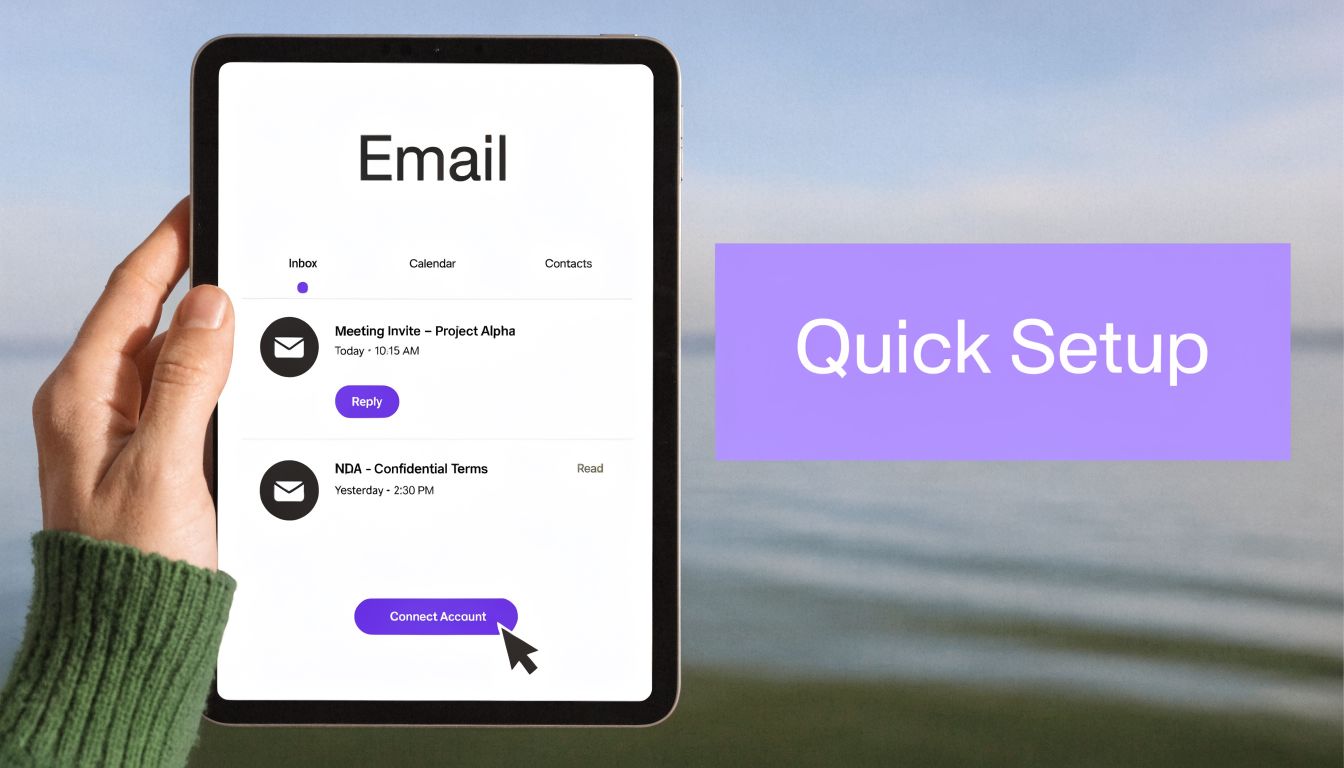
Connect one inbox first
Start with your own Gmail or Outlook account before involving a full team. Keep the first test small enough that you can spot tone or context issues quickly. -
Let the system learn from sent mail
This is what makes drafts sound like you instead of a generic assistant. The goal isn’t perfection on day one. It’s enough pattern recognition to produce a usable first pass. -
Add one trusted knowledge source
Connect a help center, pricing page, FAQ doc, or CRM field set. Don’t connect everything at once. Start with the information your team references constantly. -
Review drafts in your normal workflow
Drafts should appear where you already work, not in a side tool you’ll forget to check. If your inbox still feels messy, tightening your process with guidance on how to organise your inbox will make the review step much easier. -
Track edit patterns, not just speed
Notice where you keep changing the draft. Are you correcting tone, missing facts, or shortening every response? Those edits tell you whether the issue is training, knowledge access, or role configuration. -
Expand by message type
Add support replies, customer success follow-ups, or internal approvals one category at a time. That gives you a cleaner path to team adoption than a broad launch.
The implementation case is strong. In 2026, AI-optimized email campaigns average a 13.44% click-through rate versus 3% for non-AI campaigns and generate 3.2x more revenue per recipient, according to this guide to AI personalization and revenue. Reply workflows aren’t the same as campaigns, but the underlying lesson carries over. Better timing, better relevance, and better context compound.
If your inbox is full of messages that need thoughtful replies, Ellie is built for that exact workflow. It drafts responses directly in Gmail and Outlook, learns your tone from sent mail, and places replies in Drafts so you can review and send instead of starting from zero each time.