
How to Introduce Yourself via Email: A 5-Part Formula
You’re probably staring at a draft right now with a blinking cursor and a familiar problem. You need to introduce yourself to someone important, but you also know they’re busy, skeptical, and likely triaging email on a phone between meetings.
That’s why this isn’t just a writing problem. It’s an inbox productivity problem. The right introduction email doesn’t try to impress with polish. It helps the reader understand, in seconds, who you are, why you’re writing, and what they should do next.
If you use Gmail or Outlook all day, the standard is even higher. You need a format that works fast, sounds like a real person, and can be reused without turning into a stale template. That’s where a simple structure beats cleverness every time.
Table of Contents
- Why Most Introduction Emails Fail
- The Core Anatomy of a Perfect Introduction Email
- Editable Templates for Common Scenarios
- Common Mistakes That Get Your Email Ignored
- Gmail and Outlook Tips for Faster Intros
- Sounding Like You Not a Robot
Why Most Introduction Emails Fail
The typical introduction email fails before the reader reaches line two. It asks the recipient to do too much work. They have to figure out who the sender is, why this matters, and whether there’s any reason to reply.
I see this constantly with executives and client-facing teams. They write an email that sounds reasonable to them, but it lands as vague, long, or self-focused to the person receiving it. The draft often begins with background, not purpose. By the time the actual ask appears, attention is gone.
That’s not paranoia. Litmus reports that an average subscriber spends only 8.97 seconds with an email, a point cited in Carnegie Mellon’s email best practices guide. That tiny window is why short intros, clear purpose, and a visible next step work better than letter-style openings.
Practical rule: Your introduction email is not your biography. It’s a decision aid.
A weak intro usually sounds like this in effect: “I’m reaching out to connect and introduce myself and share a bit about my background.” Nothing is technically wrong with that sentence. It’s just expensive in reader attention.
A stronger intro sounds more like: you know me from this context, here’s why I’m emailing, here’s the easiest next step. That format respects how people use inboxes.
The inbox problem behind the writing problem
Individuals don’t struggle because they can’t write. They struggle because they haven’t decided what job the email needs to do.
An introduction email has one job: earn the next interaction. That might be a reply, a meeting, a referral, or recognition when your name appears again later. If you treat the message as a chance to tell your whole story, you dilute that outcome.
This is also why list quality matters before writing even begins. If you’re reaching out cold, the message can only work if it reaches the right person. Teams doing outbound prospecting often pair concise intros with a reliable guide for finding business emails at scale so they spend time writing to actual decision-makers instead of dead inboxes.
The Core Anatomy of a Perfect Introduction Email
There isn’t one perfect script. There is, however, a reliable five-part formula that works across cold outreach, internal introductions, and follow-ups after a meeting. Keep it compact and intentional.
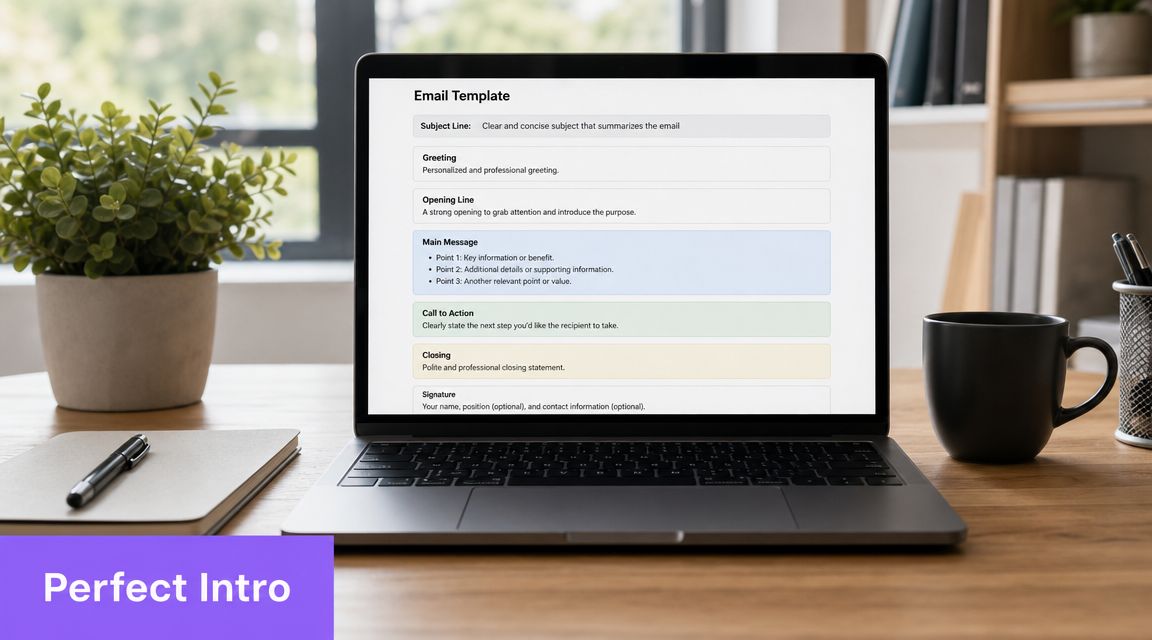
Expert guidance converges on a tight structure. Sybill’s benchmark is 50–150 words and 4–5 sentences, cited in Atlassian’s guidance on introducing yourself in an email. That same guidance warns against generic salutations, too much background, and multiple asks.
Start with a subject line that earns the open
Your subject line needs to do one thing well: make the email instantly legible.
If you’re learning how to introduce yourself via email, many drafts tend to falter here. Writers try to be polished or creative when clarity would do more work.
What works:
- Name plus reason: “Intro from Maya”
- Context plus action: “Following up from Tuesday”
- Role-based clarity: “New account contact”
What doesn’t:
- Vague phrasing: “Quick question”
- Forced urgency: “Important”
- Empty networking language: “Connecting”
Keep the subject specific enough that the recipient can predict the content before opening.
Use a first sentence that removes friction
The first line should answer the silent question in the reader’s head: why am I getting this?
Good opening lines usually include one of these:
- Shared context: You met at an event, were referred, or work on connected teams
- Role clarity: You’re the new point of contact, new hire, consultant, or partner
- Direct purpose: You want to schedule a short conversation, make an introduction, or continue a prior discussion
For example:
- “I’m Priya, the new customer success lead for your account."
- "We met briefly after the panel on Tuesday, and I wanted to follow up."
- "Jordan Lee suggested I reach out because our teams are both working on the rollout.”
That works because it lowers cognitive load. The recipient doesn’t need to decode relevance.
Keep the middle lean and useful
People often over-explain. They add company history, career summaries, and paragraphs of context that belong on LinkedIn or a website, not in an inbox.
The middle of the email should carry only the information needed to justify the message. Think in one of these frames:
-
Why you Briefly establish who you are in relation to the recipient.
-
Why now Explain what triggered the outreach.
-
Why this matters Give the reader a reason to care.
If a sentence doesn’t help the recipient understand relevance or respond, cut it.
A strong middle might be one sentence long:
“I’ll be handling onboarding from here and wanted to introduce myself before next week’s kickoff.”
That’s enough. It tells the reader what changed and why the email exists.
End with one clear next step
The final line should make replying easy. One ask. Not three.
Good CTAs:
- “Would you be open to a short call next week?"
- "If helpful, I can send over a brief summary."
- "Please let me know who on your team handles this.”
Weak CTAs:
- “Let me know your thoughts."
- "Happy to connect sometime."
- "Looking forward to hearing from you.”
Those aren’t asks. They’re soft exits.
A productive sign-off is simple: “Best,” “Thanks,” or “Looking forward to working together,” followed by your name and role. In Gmail and Outlook, your signature should do the heavy lifting on contact details so the body stays short.
Editable Templates for Common Scenarios
Templates save time, but only if they’re built for real use. A good template gives you structure. A bad one gives you canned language that sounds copied.
If you’re writing introduction emails regularly, keep a few scenario-based drafts ready and customize the first line, one context detail, and the CTA. That’s usually enough to make the message feel deliberate instead of generic. For job-interest outreach, it also helps to understand where an intro email differs from a formal application. This RankResume letter of interest guide is useful if your message sits somewhere between networking and job inquiry.
Introduction Email Strategy by Scenario
| Scenario | Primary Goal | Recommended Tone | Example Call to Action (CTA) |
|---|---|---|---|
| Networking with a peer | Start a conversation | Warm and direct | Would you be open to a short chat next week? |
| Sales or business development | Establish relevance quickly | Respectful and specific | If this is relevant, would a brief conversation be worth it? |
| New internal team introduction | Build familiarity and clarity | Friendly and efficient | Please feel free to reach out if I can support anything on my side. |
| Follow-up after a brief meeting | Refresh memory and continue momentum | Light and contextual | If you’re open to it, I’d be glad to continue the conversation. |
Template for networking outreach
Subject: Great connecting
Hi [Name],
It was good to come across your work through [shared context]. I’m [Your Name], and I work in [role/company]. I’m reaching out because [specific reason for relevance]. If you’re open to it, I’d welcome a short conversation to compare notes on [topic].
Best, [Your Name]
Use this when you want a conversation, not a pitch. Replace broad praise with one specific point so the email feels grounded.
Template for sales or business development
Subject: Intro from [Your Name]
Hi [Name],
I’m [Your Name] from [Company]. I’m reaching out because [specific problem, initiative, or trigger] seems relevant to your team. We help with [short value statement], and I thought it might be useful to introduce myself. If this is in your area, would you be open to a brief conversation?
Thanks, [Your Name]
The key here is restraint. Don’t stack benefits. Don’t attach a deck unless they asked for it.
Template for introducing yourself to a new team
Subject: Hello from [Your Name]
Hi everyone,
I’m [Your Name], and I’ve joined as [role]. I’ll be working on [team/project area] and partnering with many of you on [relevant work]. I’m looking forward to getting started and learning how I can support the team. Please feel free to reach out if there’s useful context I should have early on.
Best, [Your Name]
Internal intros can be slightly warmer because the recipient didn’t choose the communication. The email still needs structure, though.
Template for following up after a brief meeting
Subject: Following up from [event/context]
Hi [Name],
It was good meeting you briefly at [event/context]. I’m [Your Name], [short identifier], and I enjoyed our conversation about [specific topic]. I wanted to follow up and introduce myself properly. If you’re open to it, I’d be glad to continue the conversation sometime next week.
Best, [Your Name]
A follow-up intro works best when it helps the person remember you. Add one detail from the conversation, not three.
Keep a saved version of each template in your inbox, then rewrite the first and last sentence every time.
If you want a drafting workflow that sits inside your email routine, this guide to an AI email assistant is a useful starting point for thinking about faster first drafts without losing control of tone.
Common Mistakes That Get Your Email Ignored
Most ignored introduction emails don’t fail because of grammar. They fail because they create friction.
Mailjet reports that 59% of best-in-class marketers rank personalization as a top engagement tool, and Twilio recommends keeping subject lines to 3–5 words, as noted in Mailjet’s email marketing statistics roundup. The lesson is practical: people respond better when the email is clear, relevant, and easy to process.
Mistakes that signal work for the reader
These are the ones I’d fix first:
- Vague subject lines: “Introduction” tells the recipient almost nothing.
- A self-centered opening: If the first paragraph is your background, the reader has to hunt for relevance.
- Multiple asks: A call, a referral, feedback, and a file review in one message makes replying harder.
- Big text blocks: Dense paragraphs look expensive to read.
- Generic greetings: “To whom it may concern” signals low effort in a one-to-one message.
The smarter alternative
Use a subject that gives context, a first sentence that explains why the person got the email, and a body that earns one decision.
The reader shouldn’t have to infer your purpose. State it cleanly.
If you want a quick test before sending, skim your email and check whether each sentence answers one of these: who are you, why now, what next. If a line doesn’t support one of those jobs, it’s probably decoration.
Gmail and Outlook Tips for Faster Intros
A strong format matters, but speed matters too. If you write a fresh introduction from scratch every time, you’ll waste time and still get inconsistent results.
Build your own repeatable system
In Gmail, save high-performing intro drafts as Templates. In Outlook, use My Templates or Quick Parts depending on your setup. Keep separate versions for networking, internal intros, client handoffs, and post-meeting follow-ups.
Then improve the workflow:
- Save subject line options: Store two or three versions for each scenario.
- Use scheduled send: Draft when it’s convenient, send when it makes sense for the recipient.
- Let signatures carry details: Your email body shouldn’t repeat information already present in your signature block.
- Use aliases carefully: If you send introductions from different addresses or roles, this guide on how to add an email alias to Gmail helps keep that setup clean.
Use AI as a drafting layer, not a substitute
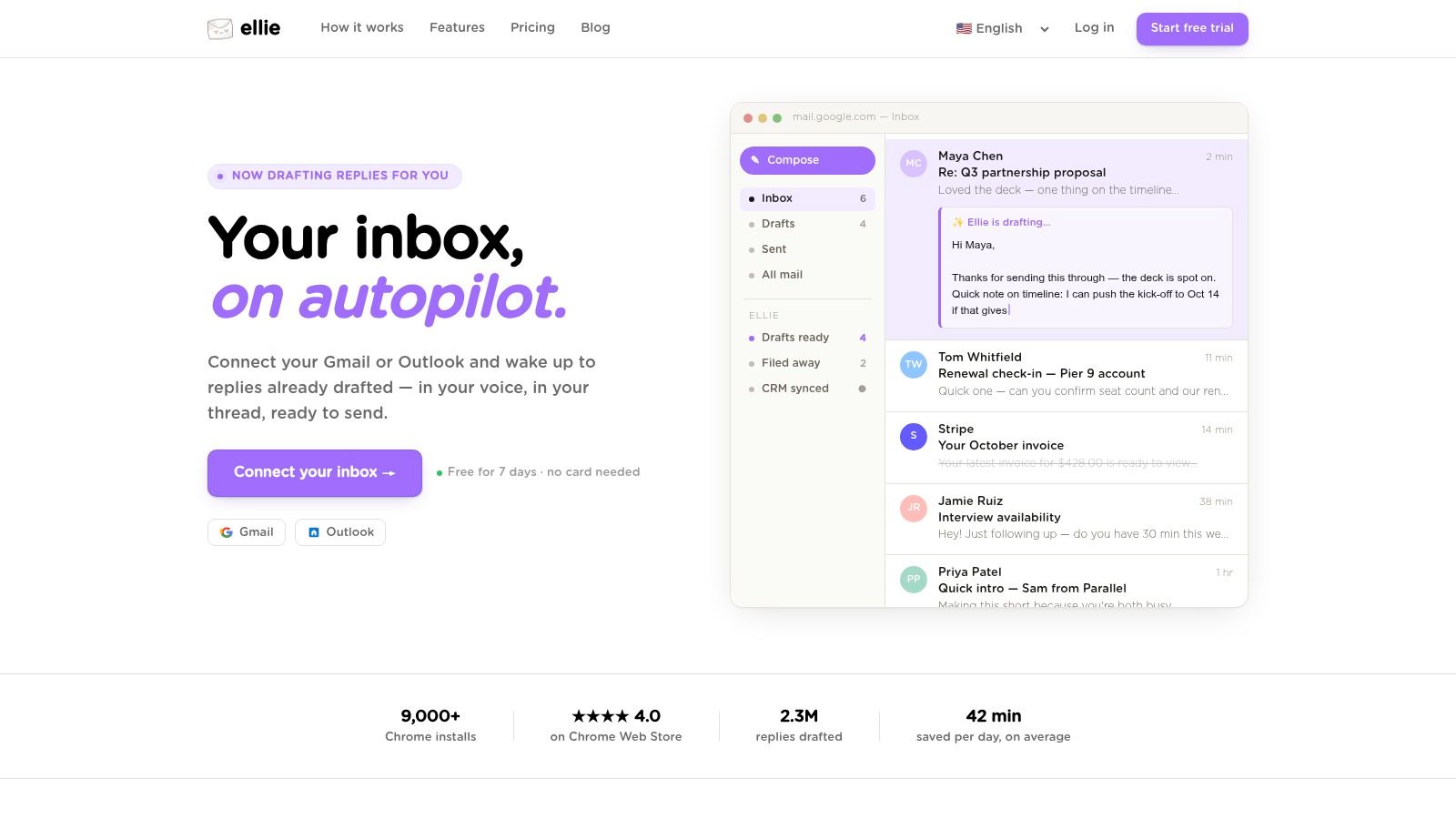
Tools can help if you use them correctly. Gmail and Outlook both support drafting workflows, and some teams layer AI on top for faster personalization. Ellie works inside Gmail and Outlook and drafts replies based on your existing tone, which is useful when you want a first draft that already sounds close to your normal writing style.
The important part is the workflow, not the novelty. Use tools to eliminate blank-page time, then edit for context, specificity, and restraint.
Sounding Like You Not a Robot
Many professionals now draft with AI and then edit for tone. That changes the actual question. It’s no longer just what should I say. It’s what should I keep, remove, or personalize so the email doesn’t sound templated.
That shift matters in introduction emails because recipients can feel formulaic writing quickly. The strongest guidance on this point is simple: be short, specific, and human, and avoid over-polished phrasing that sounds manufactured, as discussed in Instructional Solutions’ advice on introducing yourself in an email.
What to edit after AI writes the first draft
Start with subtraction. AI usually adds filler because it’s trying to sound complete.
Cut:
- Polite padding: “I hope this message finds you well.”
- Abstract enthusiasm: “I’m excited to connect and explore possible synergies.”
- Corporate blur: “Align,” “circle back,” and similar phrases
Add:
- A real context clue: referral, event, role change, or shared project
- A line only you would write: a natural phrase you use in real email
- A realistic ask: one action the recipient can answer quickly
A simple human check before sending
Read the draft once and ask three questions:
- Would I say this out loud in a professional conversation?
- Is there one sentence that proves this wasn’t mass-sent?
- Can the recipient answer in one line?
If the answer to any of those is no, the email needs another pass. For more practical ways to make AI-written messages feel genuine, this guide to AI email personalization is worth reviewing.
A good AI draft saves time. A human edit earns trust.
If you want faster introduction emails without losing your voice, Ellie gives you drafts inside Gmail and Outlook based on how you already write. That means less time wrestling with a blank screen and more time reviewing, personalizing, and sending.