
How to Write a Postscript in an Email: Expert Tips
You send the email, move on to the next task, and then remember the one last thing you meant to include. Not the core point. Not something worth rewriting the whole message for. Just the detail that would make the email clearer, warmer, or more actionable.
That’s where a postscript still earns its place.
A good P.S. isn’t a leftover from paper letters. In Gmail and Outlook, it’s a compact way to reinforce a message at the exact point many people slow down, skim the sign-off, and decide whether they’re going to reply, click, or ignore the email. Used well, it sharpens communication. Used poorly, it looks messy and amateur.
Table of Contents
- Why the Humble P.S. Still Matters in 2026
- When to Add a Postscript and When Not To
- Crafting an Effective Postscript Line by Line
- Postscript Examples for Every Professional Scenario
- Common Postscript Mistakes and Etiquette
- Quick Implementation in Gmail, Outlook, and with AI
Why the Humble P.S. Still Matters in 2026
The familiar use of P.S. comes from the Latin postscriptum, meaning “written after,” as noted in Mailchimp’s explanation of P.S. in email. That origin still matters because it tells you what the line is supposed to be: an add-on after the main message, not a hidden second paragraph pretending to be an afterthought.

In practice, the modern postscript works because inbox readers don’t move through messages neatly from top to bottom. They skim. They jump. They glance at the opening, then the signature area, then decide whether the body deserves a closer read. That makes the end of the email more valuable than many people realize.
Why it still works
A strong P.S. does one of three things well:
- Reinforces the main action so the reader doesn’t miss the next step
- Adds a useful extra without making the main body heavier
- Makes the email feel more human with a quick personal note
That last point matters more than it used to. A polished body paragraph can feel generic fast. A brief, well-judged postscript often feels like the one line a real person added on purpose.
A P.S. works best when the body already does its job. It should sharpen the message, not rescue it.
If you write outreach, follow-ups, or client emails all day, this is also where consistency pays off. Teams working on AI email personalization workflows often focus on openings and subject lines, but the closing pattern matters too. The postscript is part of the reading experience, not decoration.
What busy professionals miss
A lot of people think the P.S. is old-fashioned because they associate it with handwritten letters. The better way to think about it is this: it’s a high-visibility line at the bottom of the message. In a crowded inbox, that’s useful real estate.
If the email is already lean, the P.S. can make it more effective. If the email is rambling, the P.S. usually makes the problem worse.
When to Add a Postscript and When Not To
You send a clear email, sign off, and then realize one line at the bottom could make the reply easier. That is the right moment for a P.S. It earns its place when it improves action, clarity, or tone without asking the reader to process a second message.
A good postscript supports the email’s job. It does not compensate for weak structure, missing context, or a vague ask. In practice, the test is simple. If removing the P.S. would leave the email fully functional, you can consider using one.
Good reasons to use one
Use a P.S. when the message already works and one final line can improve response odds.
Repeat the action without sounding pushy
A postscript is useful when the main ask is straightforward but easy to miss at the end of a long day in Gmail or Outlook. That often applies to scheduling, approvals, document review, or a simple yes/no reply.
Example:
P.S. If Thursday works, just reply with “yes” and I’ll send the calendar invite.
Add one secondary resource
Sometimes the cleanest email is the one that keeps the body tight and puts the optional extra at the bottom. A P.S. can hold one supporting link, file note, or short reference without slowing the main message.
Example:
P.S. If you want a quick overview first, this guide covers the same process in plain terms.
That works especially well in introduction emails, where too much detail can bury the point. If you send a lot of those, this guide on how to introduce yourself via email is a practical companion.
Add a brief human note
Used carefully, a postscript can soften a transactional message and make it sound written by a person, not pasted from a template.
Example:
P.S. I appreciated how clearly your team framed the issue on the call.
This is also one of the better places to use AI carefully. An assistant such as Ellie can help draft a concise, relevant closing note, but the judgment still sits with the sender. If the line sounds generic, cut it.
When a P.S. is the wrong tool
Discipline matters here.
- Critical information belongs in the body. Deadlines, pricing details, contract language, and instructions should appear where the reader expects to find them.
- Formal or legal messages usually do better without one. If the email needs precision, the cleaner structure is usually the stronger choice.
- Long emails rarely improve with a postscript. If the message already feels heavy, adding one more element can make it look poorly edited.
- New topics do not belong there. A P.S. should reinforce the message already on screen, not introduce a second conversation.
One trade-off is easy to miss. A P.S. gets attention because of its placement, but that visibility can work against you if you use it for something off-topic or more important than the body itself. Readers notice the imbalance.
If the reader must know it, put it in the body. If it helps to repeat, highlight, or personalize, the P.S. can carry it.
Crafting an Effective Postscript Line by Line
A good P.S. feels deliberate. A weak one feels like an afterthought pasted on just before send.
In practice, the format is simple. The hard part is deciding whether the line earns its place at the bottom of the message. In Gmail and Outlook, that last line gets disproportionate attention because it sits below the signature, isolated from the rest of the copy. Used well, it improves recall and nudges action. Used poorly, it signals sloppy editing.
Get the format right first
The safest professional format is still P.S. followed by a space and one concise sentence.
Like this:
Best, Maya
P.S. I’ve attached the revised deck.
You will also see PS without periods. That works in casual internal threads, but P.S. remains the cleaner default for client, executive, and external communication. It reads as intentional.
Practical rule: Put the postscript after your sign-off and signature.
Placement does the work here. If the line appears before the signature or buried in the final paragraph, it stops functioning like a postscript and starts reading like stray copy.
Give it one clear job
Strong postscripts do one thing well. They do not recap the whole email, introduce a side topic, add a link, and try to sound personable at the same time.
Choose one purpose:
-
Reinforce the action
P.S. If you want me to hold the slot, reply before 4 p.m. -
Add timely context
P.S. We’re finalizing the attendee list this afternoon. -
Point to one useful extra
P.S. I’ve included the short version in case you want the overview first. -
Add a human detail
P.S. I appreciated how clearly your team framed the issue on the call.
That constraint matters. The P.S. is a high-visibility tool, not overflow storage. If you need it to carry multiple messages, the body probably needs editing first.
Match the tone and the stakes
A postscript should sound like the rest of the email. If the body is polished and restrained, the final line should be too.
Bad fit:
Regards, Daniel
P.S. Can’t wait, this is going to be awesome :)
Better fit:
Regards, Daniel
P.S. Happy to walk the team through the proposal if that helps.
I see this mistake often in sales and recruiting emails. The sender writes a professional message, then drops into casual slang or forced enthusiasm in the P.S. That shift is small, but readers notice it fast.
Keep it short enough to scan
One sentence is usually enough. Two can work if the second line supports the first. Beyond that, the P.S. starts competing with the body instead of reinforcing it.
This matters even more on mobile, where Gmail and Outlook compress the visible area and make long endings feel heavier than they are. A short postscript keeps its visual advantage.
For outreach teams testing different closing styles, reviewing Distribute.you cold email templates can help clarify how a concise P.S. supports the main ask without turning into a second pitch.
Use AI to draft, then edit for judgment
AI assistants such as Ellie can help generate a clean postscript in seconds. That saves time, especially when teams send high volumes of follow-ups and want consistency across Gmail and Outlook.
The trade-off is predictability. AI often defaults to safe, generic language, and a generic P.S. wastes the one line your reader is likely to notice. Keep the draft if it sounds specific to the message. Cut it if it could fit any email sent that day.
Postscript Examples for Every Professional Scenario
The easiest way to learn how to write a postscript in an email is to look at real use cases. In performance-focused email writing, the P.S. is treated as a high-attention zone. Practitioners commonly use it to repeat the offer, add urgency, or include a concise personal note, as explained in MailerLite’s discussion of P.S. strategy.
Postscript use case quick reference
| Context | Primary Goal | Example Snippet |
|---|---|---|
| Sales outreach | Reinforce the ask | P.S. If you want, I can send the short version first. |
| Follow-up after meeting | Keep momentum | P.S. If Tuesday suits, I’ll lock it in. |
| Customer support | Add one helpful extra | P.S. I’ve included the setup guide below in case that’s faster. |
| Internal update | Add warmth or reminder | P.S. Please add comments before lunch if you want them included. |
Sales and marketing emails
In sales email, the postscript should help the reader act with less effort. It shouldn’t become a mini pitch.
Examples:
-
CTA reinforcement
P.S. If you want a quick walkthrough, reply with a good time and I’ll keep it brief. -
Urgency without hype
P.S. We’re closing scheduling for this round tomorrow afternoon. -
Secondary resource
P.S. If you’d rather see examples first, these Distribute.you cold email templates are a useful reference for structure and tone.
Good sales postscripts feel controlled. They don’t sound like a final attempt to save a weak email.
Professional follow-ups
The P.S. often works best after the email has done the main job. The postscript adds one last point of clarity or rapport.
Examples:
- P.S. I pulled the summary into one page so your team can review it quickly.
- P.S. Thanks again for making time on short notice.
- P.S. If you want me to revise the order of the options, I can do that before the next call.
That kind of line is especially useful after meetings, interviews, proposals, and networking conversations.
A follow-up P.S. should sound like something a thoughtful professional would add at the door on the way out.
Customer support messages
Support teams can use a P.S. to reduce back-and-forth, but only if the extra line is helpful.
Examples:
- P.S. If the reset link doesn’t arrive, check the spam folder before requesting another one.
- P.S. I’ve included the help doc below in case you want the step-by-step version.
- P.S. If this resolves it, a quick reply helps us close the ticket cleanly.
The mistake to avoid is hiding the actual fix in the P.S. The solution belongs in the body. The postscript is for one helpful extra.
Internal and casual work emails
Inside a team, the postscript can be lighter. It can carry a reminder, a thank-you, or one line of encouragement.
Examples:
- P.S. Great job keeping the client thread calm yesterday.
- P.S. Please drop comments in the doc before the afternoon review.
- P.S. I’ll be in Outlook most of the morning if anything blocks you.
This is one of the few places where a P.S. can feel casual without looking out of place. Even then, brevity still matters.
Common Postscript Mistakes and Etiquette
Most bad postscripts fail for one reason. The sender treats the P.S. as a dumping ground.
Mailgenius’s guidance is blunt on the core etiquette point: a P.S. should appear after the signature at the very bottom of the email, and common mistakes include placing it elsewhere, introducing a new topic, or adding multiple postscripts such as P.P.S., which they describe as cluttered and less effective in their explanation of P.S. placement and misuse.
What makes a P.S. look sloppy
-
Using it for must-read information
If the client needs it to approve, buy, sign, or reply, it belongs in the main message. -
Writing a postscript longer than the email
Once it turns into another paragraph, it stops functioning as a postscript. -
Changing tone abruptly
A serious email with a jokey P.S. often reads as careless. -
Adding P.P.S. and beyond
One postscript is deliberate. More than that usually looks undisciplined.
What professional senders do instead
They decide what the P.S. is for before they write it.
Keep the body complete. Keep the P.S. optional. Keep the tone consistent.
That standard is simple, but it’s what separates a useful postscript from a distracting one.
Quick Implementation in Gmail, Outlook, and with AI
In Gmail and Outlook, adding a postscript is mechanically easy. Finish the message, add your sign-off and signature, hit return, and type P.S. on its own final line. That’s all you need.
The hard part is using it consistently without turning every email into a template. Busy professionals often know a P.S. would help, but they don’t want to stop and rewrite the ending every time. That’s where tools can help if they work inside the inbox instead of adding another app to manage.
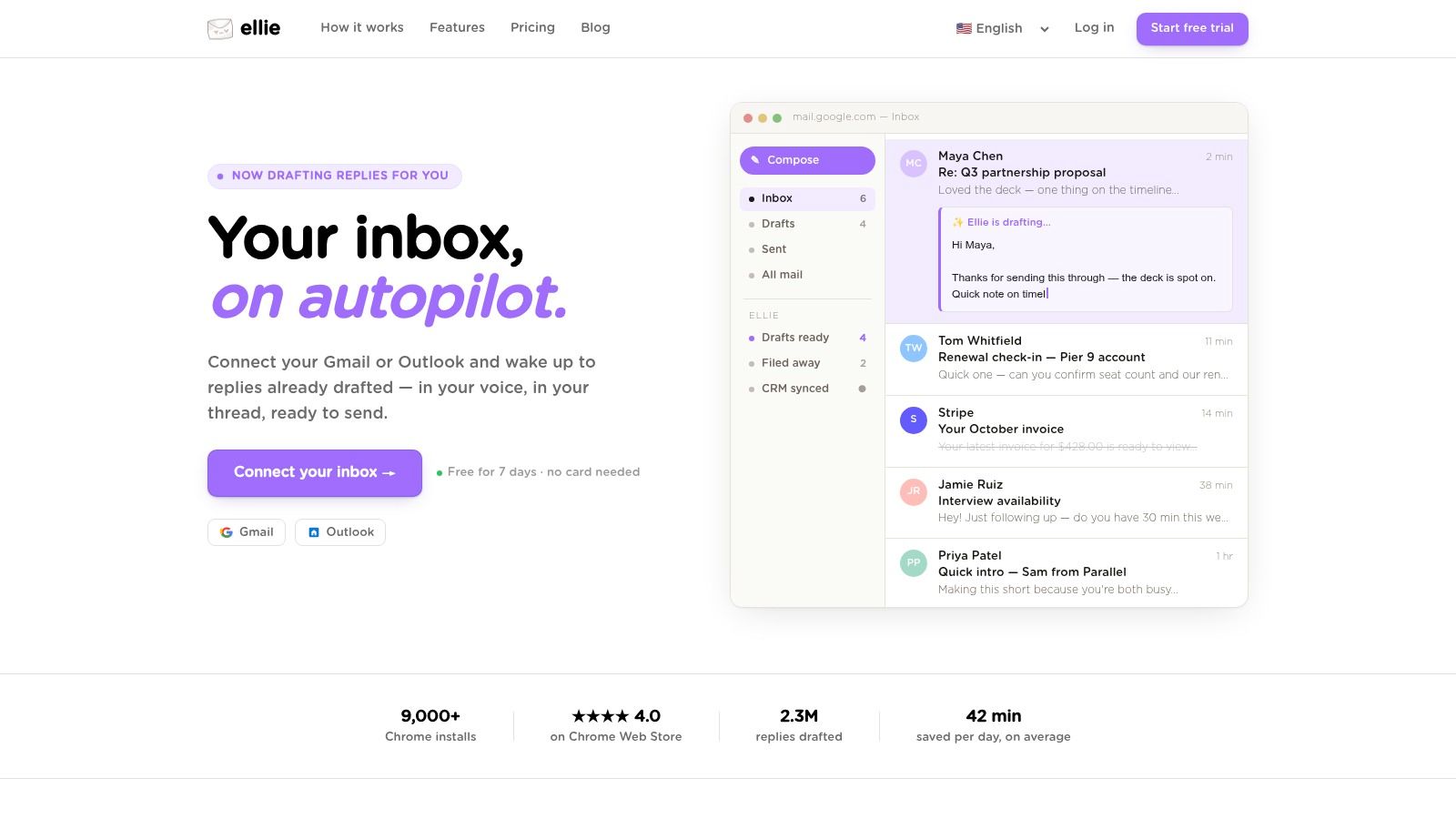
One option is an AI email assistant for Gmail and Outlook that drafts replies based on the thread and your writing patterns. Ellie, for example, learns from your sent mail, including the way you open and close messages, so it can suggest a context-appropriate postscript when a follow-up, support reply, or client note would benefit from one. That’s useful when the goal is speed without making the ending sound robotic.
A practical workflow looks like this:
- Use no P.S. by default when the email is already complete and clear.
- Add one manually for important follow-ups, outreach, or support messages where a final nudge helps.
- Let drafting tools suggest it when you handle high email volume and want consistent tone across Gmail or Outlook.
The point isn’t to force a postscript into every message. It’s to use one when it improves readability, action, or tone.
If you spend too much time polishing replies in Gmail or Outlook, Ellie can help you keep the useful parts of your style, including how you sign off and when a short P.S. makes sense, while drafting responses directly in your inbox.