
How to Keep Documentation Up to Date When You Ship Weekly
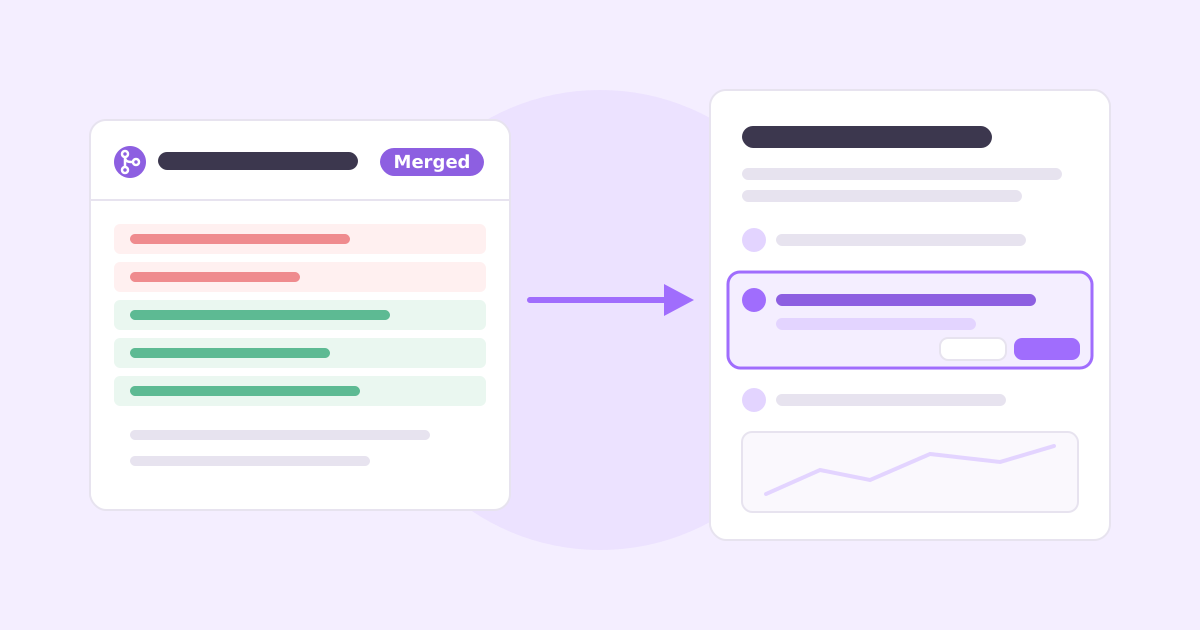
A customer emails: “Your guide says go to Settings, then Calendar. There is no Calendar.” They’re right. You moved it into Accounts six weeks ago. The PR got reviewed, tested and shipped. The help article didn’t change, because nobody’s job was to change it.
That’s how almost all outdated documentation happens. Not laziness, just a missing link between “we changed the product” and “these articles describe the part we changed.”
To keep documentation up to date when you ship every week, make docs part of the pull request: every PR answers “does this change what a customer sees?”, names the help articles it affects, and ships the docs edit in the same PR or a linked one. Then automate the mechanical parts (screenshots, changelog entries) and watch support tickets and help center searches for the drift that slips through.
The rest of this post is how to set that up without hiring a technical writer.
Why documentation goes out of date
Docs drift has a few predictable causes, and none of them are fixed by “let’s be more careful.”
Docs live somewhere else. Code is in GitHub. Docs are in Intercom, Zendesk, Notion or a GitBook space. Nothing connects a file in one to a page in the other, so a change to one never prompts a look at the other.
The person who knows isn’t the person who writes. The engineer who moved the calendar settings knows exactly what changed. The person who maintains the help center finds out from a customer.
Docs get fixed in batches. “We’ll do a docs pass at the end of the quarter.” Meanwhile, every weekly release chips away at accuracy, and the big rewrite takes so long that it’s partly stale by the time it ships.
Nobody knows which articles are affected. Even a motivated team can’t check 80 articles after every release. So they check none.
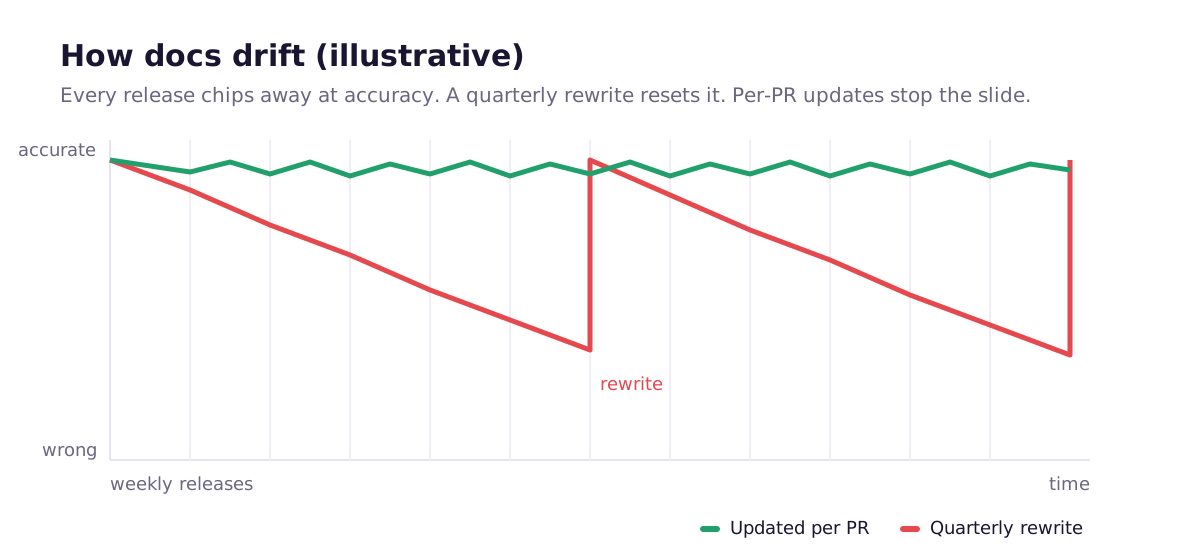
The pattern is the same as any other maintenance work. Small, continuous updates beat periodic heroics.
Make docs part of the definition of done
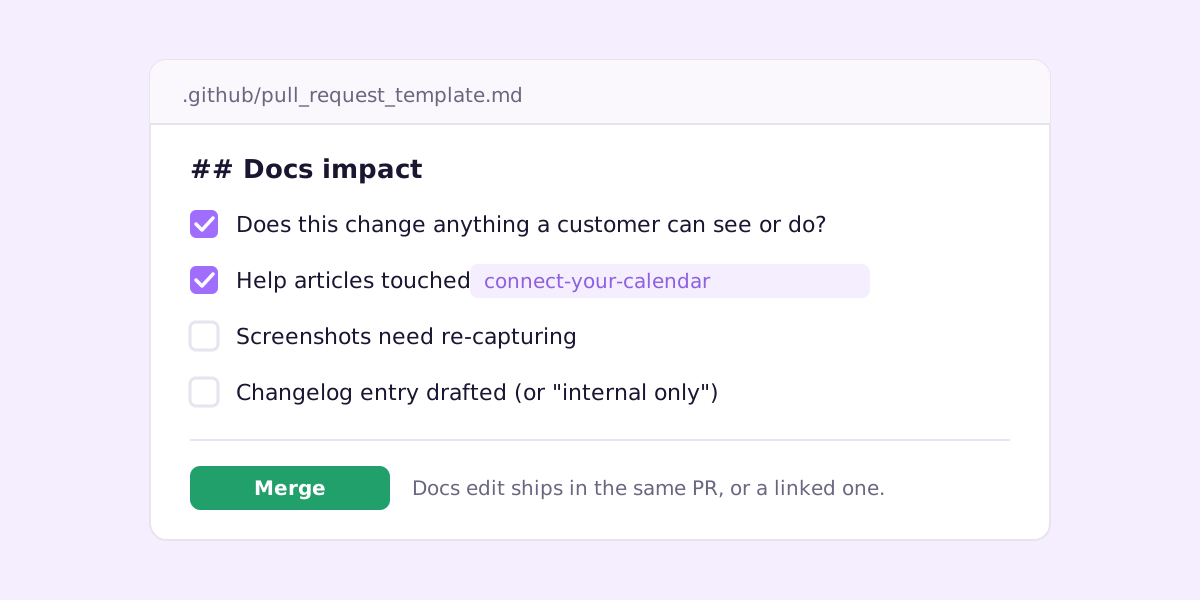
The single most effective change: add a docs section to your pull request template. GitHub will pre-fill it on every PR if you put a file at .github/pull_request_template.md (GitHub’s guide to PR templates).
## Docs impact

- [ ] This changes something a customer can see or do
- Help articles affected: <!-- slugs or links, or "none" -->
- [ ] Screenshots need re-capturing
- [ ] Changelog entry drafted (or marked "internal only")
It feels like bureaucracy for about two weeks. Then it becomes the moment where an engineer goes “oh, the onboarding article mentions this screen” while the context is still fresh. A two-line docs fix written by the person who made the change is better than a perfect one written a month later from guesswork.
Two rules make this stick:
- Reviewers check the box. If a PR obviously changes UI and says “no docs impact”, the reviewer asks why. Same as a missing test.
- The docs edit can be rough. Engineers don’t need to write polished prose. “Step 6 now: open Accounts, then Availability settings” is enough. Someone can tidy the wording later. Accuracy first.
Map help articles to the code they describe
The PR checklist relies on people remembering which articles exist. Help them out with a simple map from code paths to articles:
# docs-map.yml
- paths: ["src/features/calendar/**", "src/pages/accounts/availability*"]
  articles: ["connect-your-calendar", "set-your-availability"]
- paths: ["src/features/billing/**"]
  articles: ["change-your-plan", "update-payment-method", "download-invoices"]
- paths: ["src/features/onboarding/**"]
  articles: ["get-started"]
Then a small CI step reads the list of changed files (git diff --name-only origin/main...HEAD), matches them against the globs and posts a comment on the PR: “This PR touches calendar code. Check: connect-your-calendar, set-your-availability.” That’s maybe 40 lines of script, and it turns “think about docs” into a specific, clickable list.
The map goes stale too, of course. Keep it next to the code, and add a line whenever someone writes a new article. It’s still far easier to maintain than the docs themselves.
If your docs live in the same repo (docs-as-code with something like Docusaurus, Mintlify or GitBook’s Git Sync), you can go further: a CODEOWNERS entry on the docs folder makes sure someone who cares about docs reviews every change to them.
Write docs that rot more slowly
Some writing choices make documentation maintenance much easier:
- Describe tasks, not layouts. “Open Accounts and choose Availability settings” survives a redesign. “Click the purple button in the top right” doesn’t.
- Use the exact UI labels in bold. When a label changes, a search for the old label finds every article that needs fixing.
- Don’t repeat volatile facts. Plan limits, prices and trial lengths change. Put them on one page and link to it rather than restating them in ten articles.
- Screenshot the stable part. Crop to the element the step is about rather than the whole screen, so a sidebar change doesn’t invalidate every image.
- Show the “last updated” date. It keeps you honest, and it tells readers how much to trust the page.
More on structure in our guide to writing help center articles people actually use.
Automate the mechanical parts
Some docs maintenance is judgment. A lot of it is just chores that a script does better.
Screenshots. Retaking images by hand is the first thing to automate. A Playwright script against a seeded demo account, run in CI, gives you fresh, consistent images on every merge. We walk through the full script in how to create product screenshots automatically.
Changelog entries. Your merged PRs already describe what shipped. Turning them into a customer-facing changelog is mostly rewriting engineer-speak into plain language and grouping by Added, Changed and Fixed, the convention popularized by Keep a Changelog. See how to write a changelog customers read for templates.
Videos. If you have walkthrough videos, the same code-path map tells you which ones need re-recording. Recording picture and voice separately makes the redo quick; here’s the process for product walkthrough videos.
Find the drift you already have
Even with a good process, some changes slip through. These signals tell you where:
- Support tickets that quote your docs. “The guide says X but I see Y” is a free bug report. Tag them and fix the article the same day.
- Help center searches with no results. People searching for a feature name you renamed, or a feature you never documented.
- Article feedback. If your help center has “Was this helpful?”, read the thumbs-down comments weekly. They’re usually specific.
- A short sweep of your top pages. Once a month, click through your 20 most-viewed articles in the real product. It takes about an hour and covers most of what customers actually read.
Don’t document what hasn’t shipped
One trap for fast-moving teams: a PR merges behind a feature flag, someone dutifully updates the docs, and now the help center describes a feature most customers can’t see. Customers get confused, and support gets the tickets.
Hold docs changes for flag-gated work until the flag is on for everyone (or write them as drafts and publish with the rollout). Same goes for changelog entries.
Tools that help with documentation maintenance
Help desks like Intercom, Zendesk and Help Scout have perfectly good help center editors, but they have no idea what’s in your code, so all the linking above is on you. Docs-as-code platforms like GitBook and Mintlify keep docs in Git, which gets you PR review and history, and work best when your writers are comfortable in a repo. Newer AI-first help center tools, Ferndesk among them, are trying to close the gap from other angles.
We built Ellie Docs specifically around the PR link. You connect a GitHub repo, and Ellie maps your features and links each help article to the features it describes. On every merged PR, it checks which articles the change affects and proposes edits as a reviewable diff, with a short explanation of why. You accept or dismiss each one. Nothing publishes by itself.
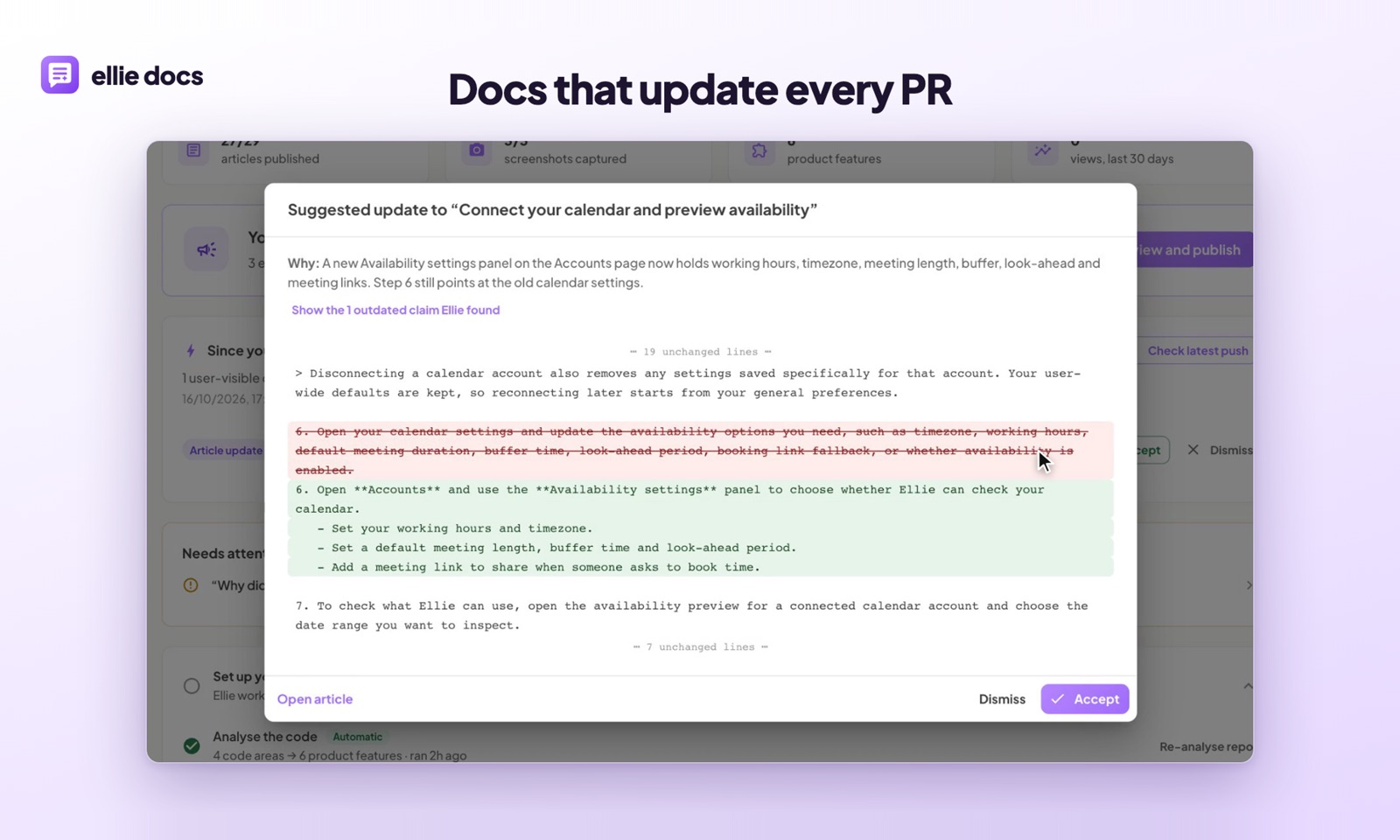
It also drafts changelog entries from the same merged PRs, and holds back anything that’s still behind a flag until it’s released.
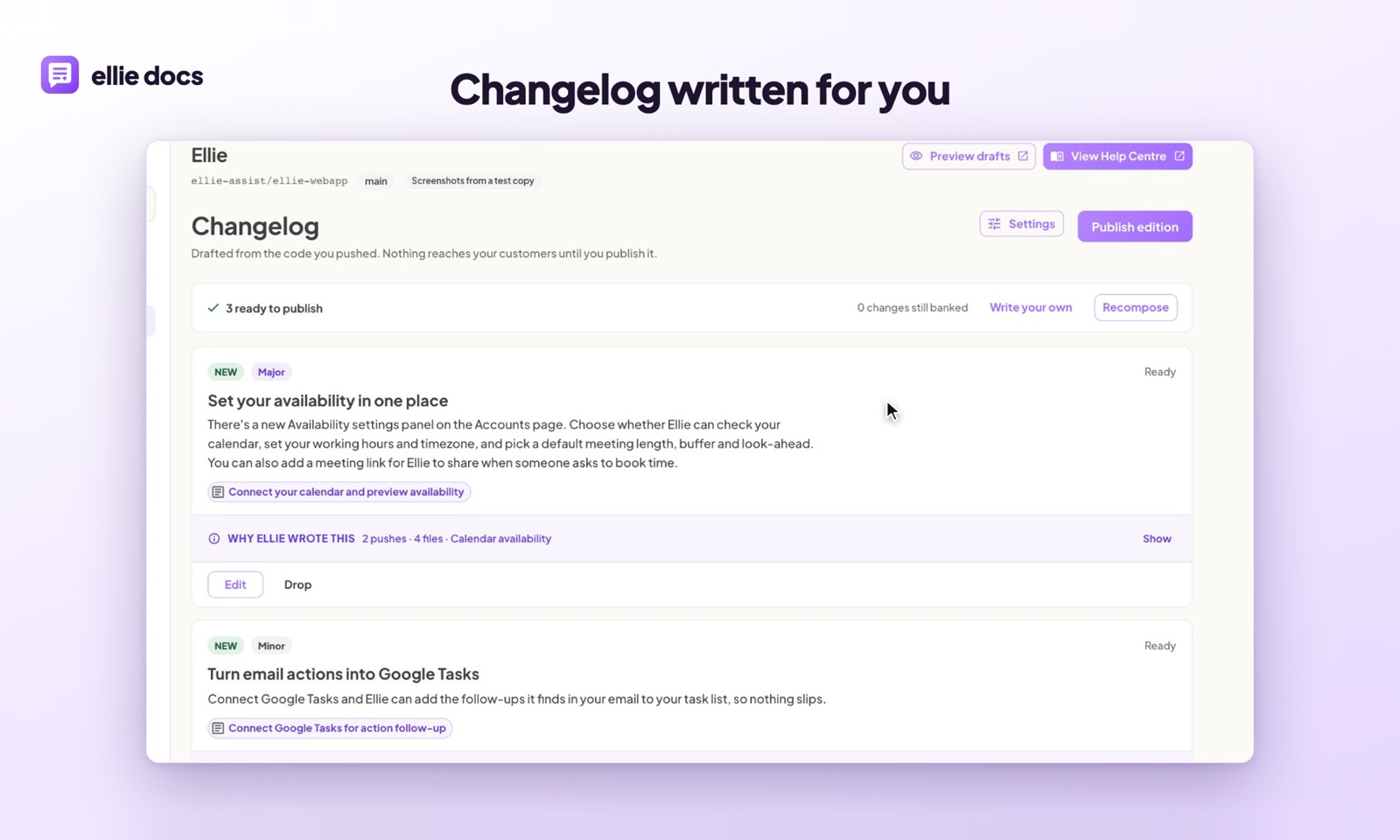
You can do everything in this post by hand, and plenty of teams do. Ellie just does the “which articles does this PR affect, and what should change?” part for you, every time.
Common questions
Who should own documentation in a small team? One named person owns the help center as a whole (often the founder or whoever handles support), but every engineer owns the docs impact of their own PRs. Shared ownership with no named owner means no owner.
How often should we review our docs? Continuously for changes (via the PR checklist), plus a monthly click-through of your most-viewed articles. Big quarterly rewrites are a sign the continuous part isn’t happening.
Is docs-as-code worth it for customer help docs? If the people writing are engineers, yes. If support or marketing writes most of it, a regular help center editor plus the PR checklist and a docs map usually works better than forcing everyone into Git.
What’s the fastest win if our docs are already badly out of date? Fix the top 10 articles by traffic, add the PR template, and start tagging support tickets that mention the docs. That stops the bleeding before you tackle the long tail.
If you’d rather have the docs updates proposed for you on every PR, try Ellie Docs free. Connect a repo, get a drafted help center, and review suggested edits as you ship.