
How to Write a Changelog (and Release Notes) Customers Read
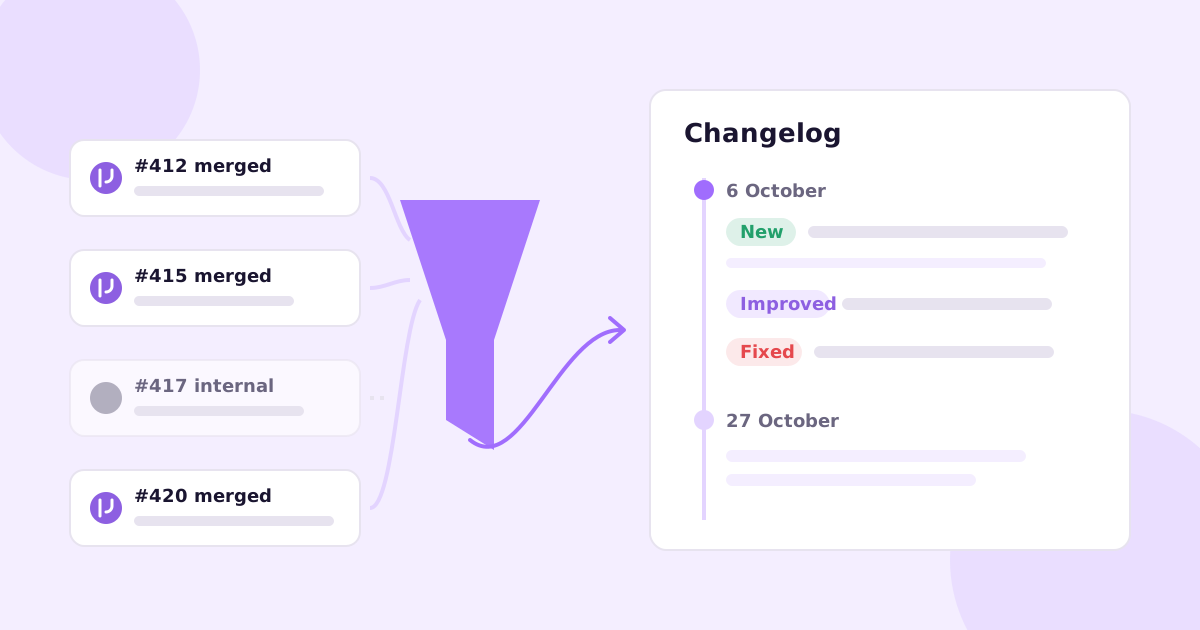
You shipped a dozen things last month. Your changelog says “Bug fixes and performance improvements.”
Customers who were waiting for one of those fixes have no idea it landed. The prospect comparing you to a competitor sees a product that looks like it hasn’t moved since spring.
Here’s how to write a changelog people actually read. Write for the customer, not the person who merged the code. Date every entry. Group changes under New, Improved and Fixed. Lead each entry with what someone can now do, add one line on why it matters, and say where to find it. Leave out anything a customer can’t see, and anything that isn’t live yet. Then publish on a steady rhythm, even if some weeks are short.
That’s most of it. The rest of this post is a template, a set of bad vs good examples, and a routine for getting from merged PRs to published notes without it eating your Friday.
Changelog vs release notes: what’s the difference?
People use the words interchangeably, but there are really two audiences.
A developer changelog is usually a CHANGELOG.md in the repo. It’s for people integrating with your API, SDK or library. They care about version numbers, breaking changes and deprecations. Keep a Changelog is the standard reference here, and its conventions are sensible: newest first, one section per version, changes grouped as Added, Changed, Deprecated, Removed, Fixed and Security, and an “Unreleased” section at the top for work that’s merged but not shipped.
Release notes (or “product updates”, or a public changelog page) are for customers using the product. They don’t care that you bumped a dependency. They want to know what they can do now that they couldn’t last week.
If you run a SaaS product, you probably need the second one more than the first. Plenty of teams need both, and that’s fine: one list of merged work can feed two write-ups. Just don’t publish the developer version and call it release notes.
A release notes template you can copy
This works for a weekly or fortnightly product update, on a changelog page, in an in-app widget or as an email.
## 6 October 2026

### New
**[What you can now do, in plain words]**
[One or two sentences: what it does and who it's for.]
Find it in **[Page > Section]**. [Link to help article]

### Improved
**[The thing that got better]**
[What's different from before, in terms the customer notices:
faster, fewer clicks, works on mobile, handles bigger files.]

### Fixed
- [Symptom the customer saw], now fixed.
- [Symptom the customer saw], now fixed.

### Heads up (only if needed)
**[Anything changing or going away]**
[What's happening, when, and what they need to do.]
A few rules that make it work:
- Titles describe the outcome, not the feature name. “Export big reports without timeouts” beats “Async CSV export”.
- Fixes describe the symptom. Customers remember “the totals were off by a day”, not “timezone handling in the aggregation job”.
- Link to the help article for anything new. The changelog says something exists, the article says how to use it. If you haven’t written one, our guide to writing help center articles has a template for that too.
- Lead with the change most people will care about, even if it wasn’t the hardest one to build.
Bad vs good changelog entries
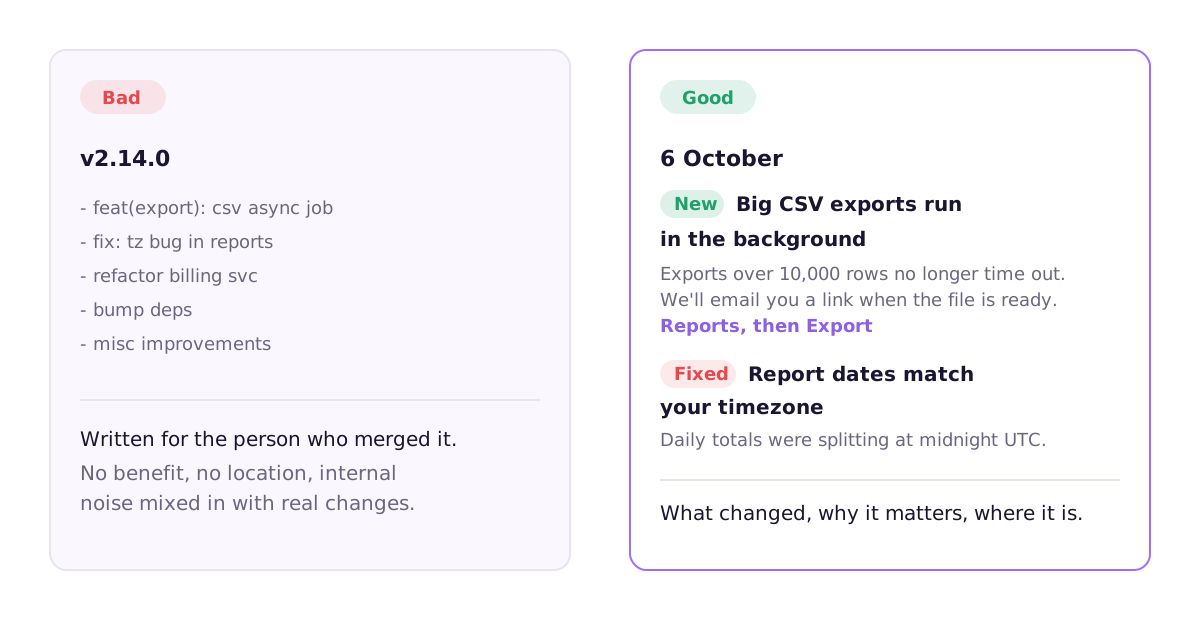
The most common failure is pasting commit messages. Here’s what that looks like:
v2.14.0
- feat(export): csv async job
- fix: tz bug in reports
- refactor billing svc
- bump deps
- misc improvements
Everything in there is true. None of it is useful to a customer. Two entries are internal noise, one is meaningless (“misc improvements”), and the two real changes are written for whoever reviewed the PR.
Here’s the same release, rewritten:
6 October

NEW: Big CSV exports run in the background
Exports over 10,000 rows no longer time out. Start the export
and we'll email you a link when the file is ready.
Find it in Reports > Export.

FIXED: Report dates now match your timezone
Daily totals were splitting at midnight UTC instead of your
local midnight, so some days looked short. They're correct now,
including for past reports.
Two entries instead of five. Each says what changed, why the reader should care, and where to look. The refactor and dependency bump are gone because no customer will notice them.
A few more pairs, because the pattern takes a while to become a habit:
| Bad | Good |
|---|---|
| Added SSO | Sign in with Okta or Google Workspace. Admins can turn it on in Settings > Security. |
| Improved performance | The dashboard loads much faster on big accounts. Projects with thousands of items no longer stall on first load. |
| Fixed notification bug | You’ll no longer get duplicate emails when someone mentions you twice in one comment. |
| Deprecated v1 endpoints | The v1 API stops working on 1 March. Move to v2 before then. Here’s what changes. |
Notice that “much faster” is vague. If you have a real number you’ve measured, use it. If you don’t, describe the experience instead of inventing a percentage.
How to write a changelog from merged PRs
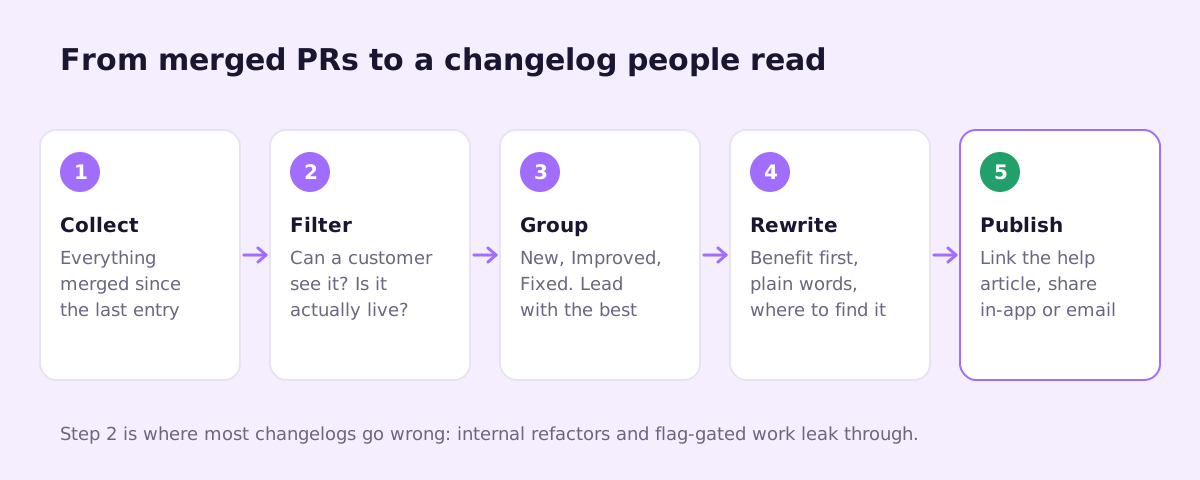
Most teams don’t struggle with the writing. They struggle with remembering what shipped. Here’s a routine that holds up.
1. Collect. List everything merged since the last entry. With the GitHub CLI:
gh pr list --state merged \
  --search "merged:>=2026-10-27" \
  --json number,title,labels,mergedAt,url \
  --limit 100
2. Filter. For each PR ask two questions. Can a customer see or feel this? Is it actually live for them? Internal refactors, CI changes and test fixes go. So does anything behind a feature flag that hasn’t been turned on. Announcing work customers can’t access yet is worse than not announcing it, because you’ll get “where is it?” tickets.
3. Group. Sort what’s left into New, Improved and Fixed. Several small PRs often add up to one entry (“Bulk editing” might be four PRs).
4. Rewrite. Turn each group into an entry using the template. Benefit first, plain words, where to find it.
5. Publish and link. Post it, link each new feature to its help article, and share it wherever your customers will see it.
The trick that makes step 4 much easier is asking for the customer-facing sentence at PR time, while the author still remembers what they built. Add a section to .github/pull_request_template.md:
## Customer-facing change
<!-- One sentence a customer would understand, or "None". -->
<!-- e.g. "You can now export reports over 10,000 rows." -->

- [ ] Behind a feature flag (don't announce until it's on)
- [ ] Help articles checked
That last checkbox matters. Every shipped change that touches the UI can leave a help article out of date, and the changelog is a good moment to catch it. We cover that side in how to keep documentation up to date.
How often should you publish product updates?
Match your shipping rhythm, within reason. If you ship continuously, a weekly or fortnightly roundup reads better than an entry per deploy. If you ship monthly, publish monthly.
What matters more than frequency is consistency. A changelog with three entries in January and nothing since tells visitors something you probably didn’t mean to say. A short week is fine. “Two fixes this week, a bigger release next week” is better than silence.
Big launches deserve more than a changelog line: a proper announcement, an email, maybe a short video. The changelog is the running record, not the whole marketing plan.
Where to put your changelog
- A public page at
/changelogor/updates. Good for prospects and for search. - In the app, as a “What’s new” link or widget. This is where existing users actually see it.
- Email, as a monthly digest for people who opted in.
- The repo, as
CHANGELOG.md, if developers integrate with you.
Dedicated tools like Beamer, Headway, LaunchNotes or Canny’s changelog handle the widget and email side well. Plenty of teams just use a page on their docs site. The tool matters less than the habit.
Where Ellie Docs fits
Disclosure: this is a problem we built something for. Ellie Docs watches your merged PRs and drafts changelog entries from them, written for customers rather than reviewers. It holds back entries for work that’s unreleased or behind a flag, so you don’t announce things people can’t use. You edit, drop or publish each entry. Nothing goes out on its own.
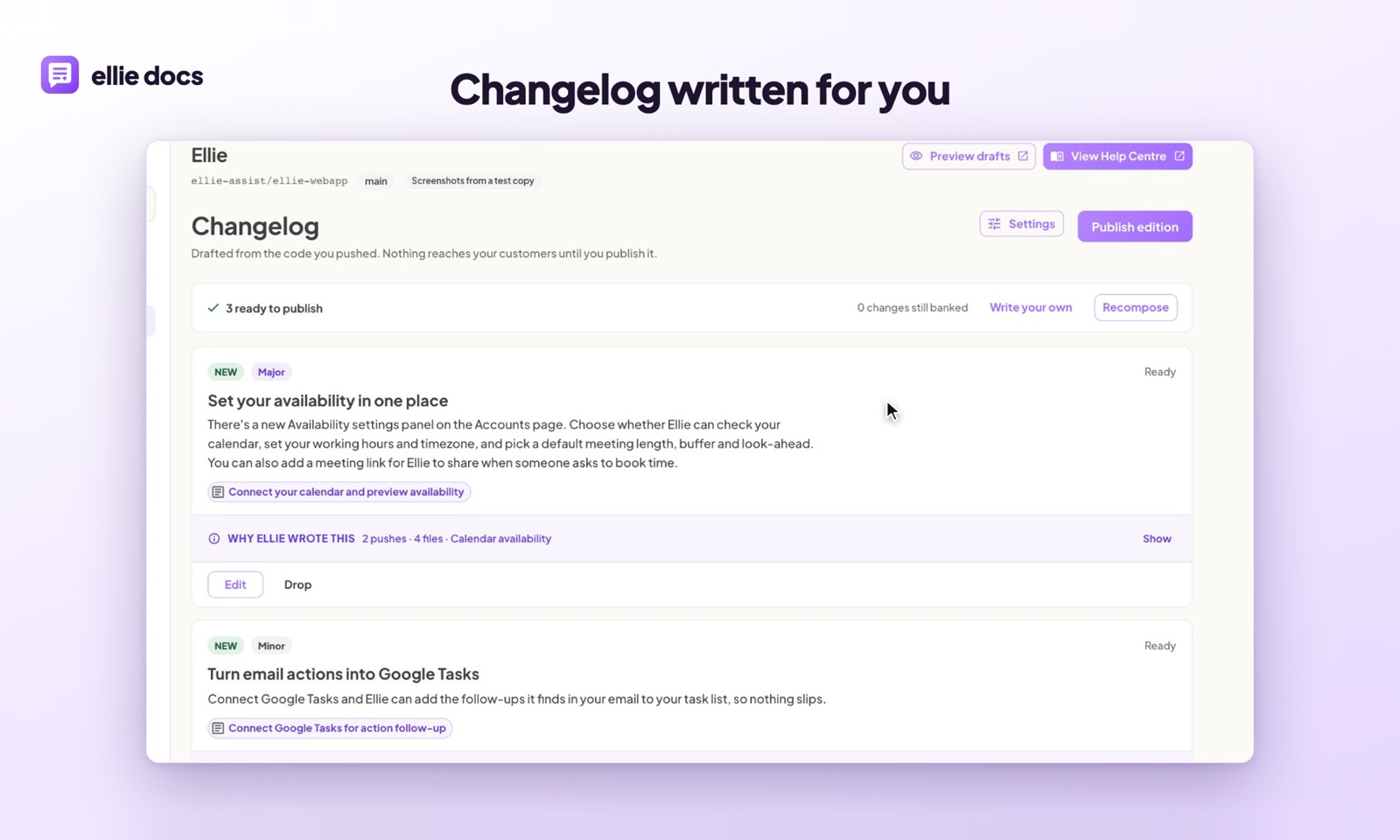
Because it also maintains your help center, the same PR that produces a changelog entry produces a suggested update to any article that’s now out of date, shown as a diff you accept or dismiss.
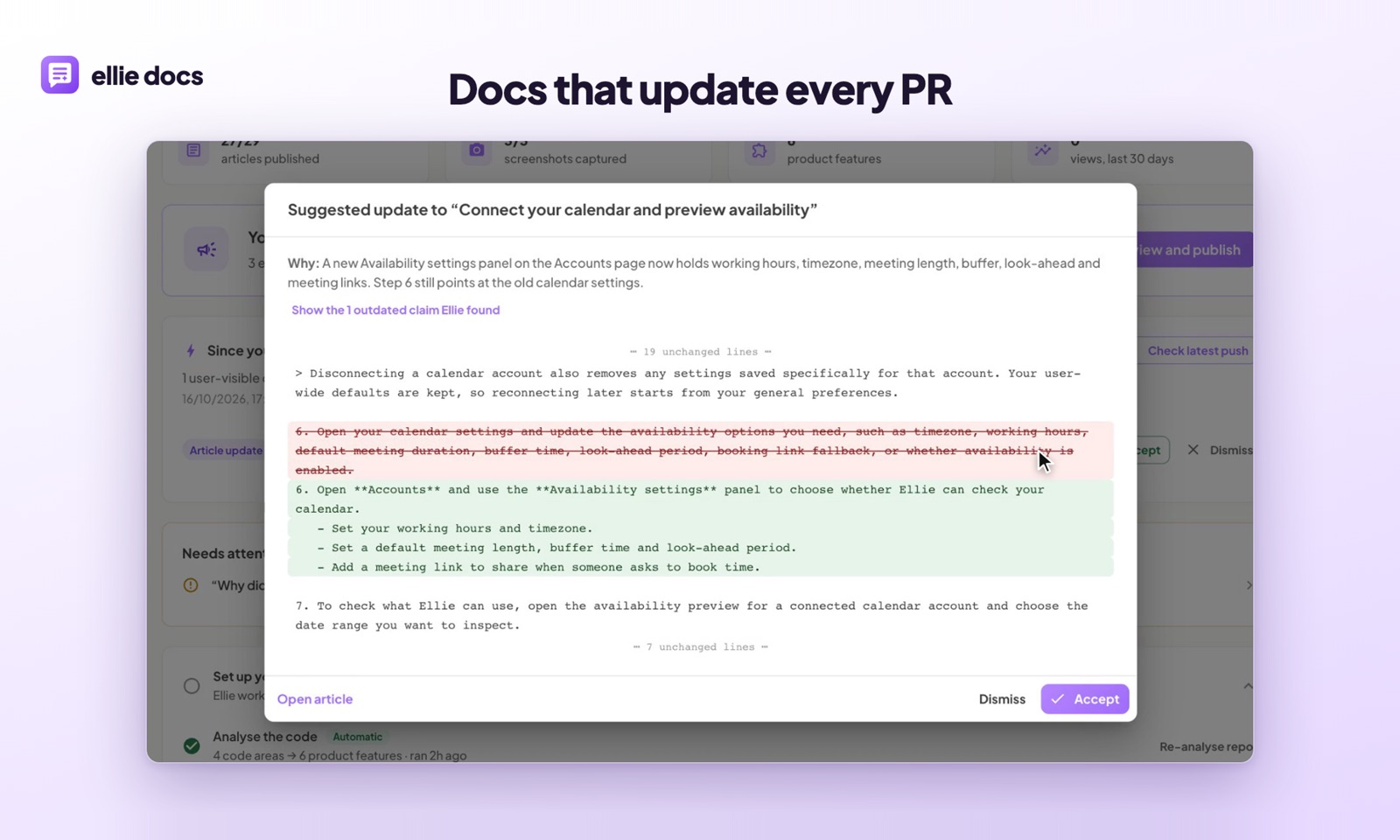
If your changelog is currently a list of commit titles, or hasn’t been touched since launch, that’s the gap it fills. If you’re happy writing it by hand, the template and PR checklist above will get you most of the way.
A few common questions
Should a changelog include bug fixes? Yes, the ones customers noticed. A fix for a bug someone reported is one of the most-read things you can publish, especially if you tell the person who reported it. Skip fixes for things nobody outside the team ever saw.
Do I need version numbers? For an API, SDK or anything installed, yes, and follow semantic versioning so people can judge risk at a glance. For a web app that deploys continuously, dates are clearer. Customers don’t think in versions.
How long should a changelog entry be? A bold title plus one to three sentences. If you need more, write a help article or a blog post and link to it.
Want your changelog drafted from the PRs you’ve already merged? Try Ellie Docs free. There’s a free plan and no card needed.