
Customer Support for Startups: A Setup Guide for SaaS Founders
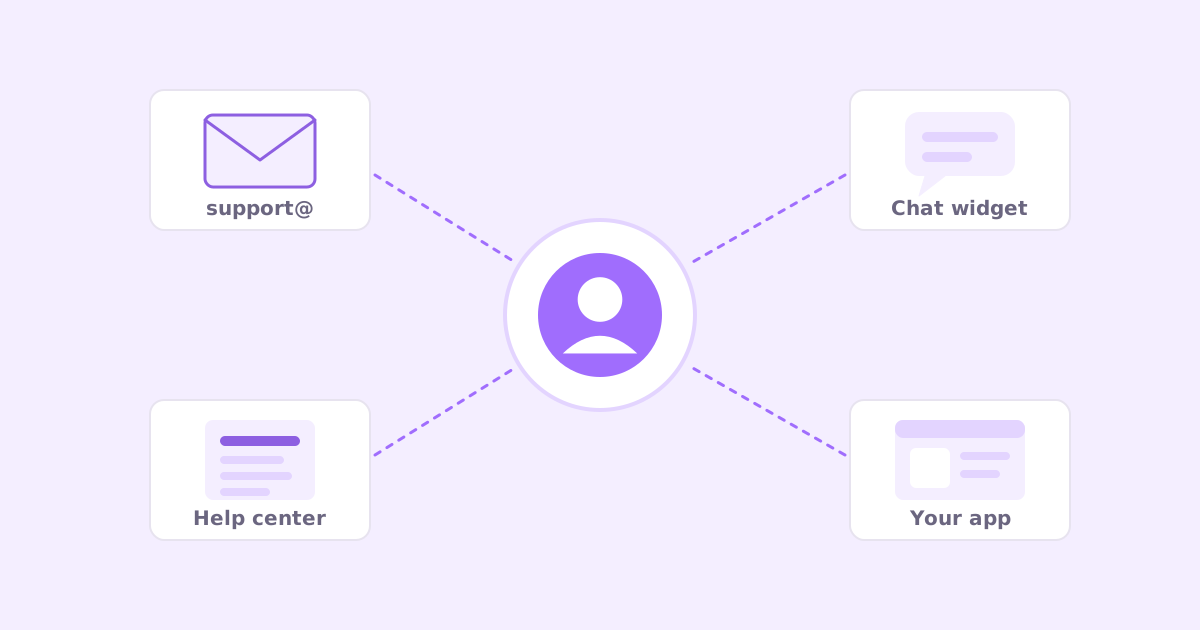
Your first support email probably arrived in your personal inbox. Someone couldn’t log in, or found a bug, or wanted to know if you integrate with something. You replied from your phone in four minutes and they were delighted.
That’s great support. It also doesn’t scale past about the fiftieth customer.
Here’s the short version of customer support for startups: start with a dedicated support email address, a handful of saved replies and a few help articles for your most common questions. Reply fast and personally. Add a proper helpdesk when a second person starts answering or you add live chat. Add AI-drafted replies and a ticket-to-article habit when volume makes typing the bottleneck. Don’t buy tools for problems you don’t have yet.
This guide goes through it in the order I’d actually do it.
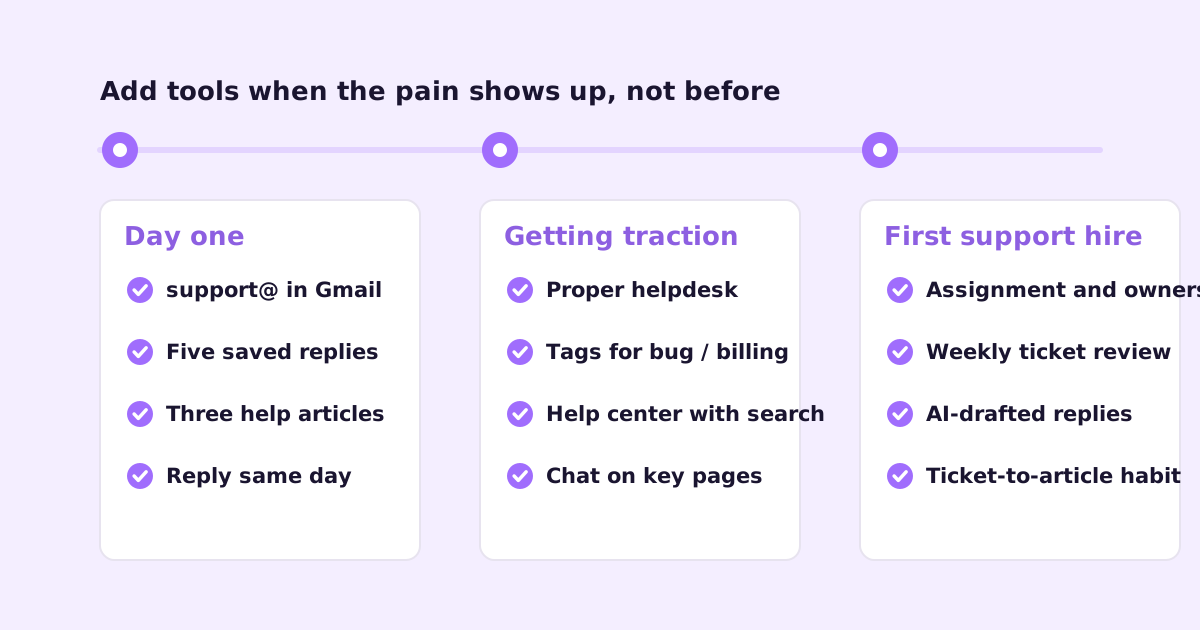
Stage 1: Day one support for solo founders
When you’re the only person, support is mostly about responsiveness and not losing things. You don’t need software beyond what you already have.
Set up a support address
Create support@yourdomain.com (or help@, whichever you prefer). Point it at your own inbox for now, with a filter that labels everything that comes in.
Why bother if it all lands in your inbox anyway? Because later, when someone else helps, you can move that address to a shared inbox or helpdesk without telling every customer a new email. Your personal address stays personal.
Put the address in three places: your app (a “Contact support” link in the menu), your website footer, and the reply-to on your transactional emails.
Write five saved replies
Gmail calls them templates, Outlook calls them My Templates or Quick Parts. Write the five replies you’ll send most. Usually something like:
- Bug report received: thanks, can you send the steps you took, what you expected, and a screenshot?
- Feature request logged: thanks, here’s how we decide what to build, I’ve noted it.
- Password reset or login help: the steps, plus what to do if the email doesn’t arrive.
- Refund or cancellation: what happens, when, and that you’re sorry to see them go.
- Known issue, fix in progress: what’s happening, workaround if there is one, and that you’ll email when it’s fixed.
Saved replies are starting points, not auto-replies. Always add a line that shows you read their actual message.
Write three to five help articles
You don’t need a full help center yet. You need answers to the questions you’ve already been asked twice. Getting started, the confusing setting everyone asks about, billing basics.
A simple help page on your site or a public Notion page is fine at this stage. What matters is that the answer exists and you can link it. When you’re ready for a real one, how to write help center articles people actually use has a template.
Reply fast, and reply as yourself
At this stage, speed and personality are your advantages over bigger competitors. A reply from the founder within a couple of hours, that clearly read the email, wins loyalty that’s hard to buy later.
Sign with your name. Don’t pretend to be a support team of ten. Customers like knowing the person who built the thing is reading their email.
Stage 2: Getting traction, when support starts to take real time
Somewhere along the way support goes from “a few emails a day” to “a real chunk of my day”. The signs: you’re answering the same questions repeatedly, things occasionally slip, and maybe a co-founder or early hire starts helping.
Move to a helpdesk (or at least a real shared inbox)
The moment two people answer customers, plain email starts to cause double replies and dropped threads. A helpdesk gives every conversation an owner and a status. I wrote a full comparison in shared inbox vs helpdesk, but the short version: if more than one person answers support, or you’re adding chat, it’s time.
Common choices for small SaaS teams are Help Scout, Front, Intercom and Zendesk. Move your support@ address over and you’re done, which is why you set it up on day one.
Tag every conversation
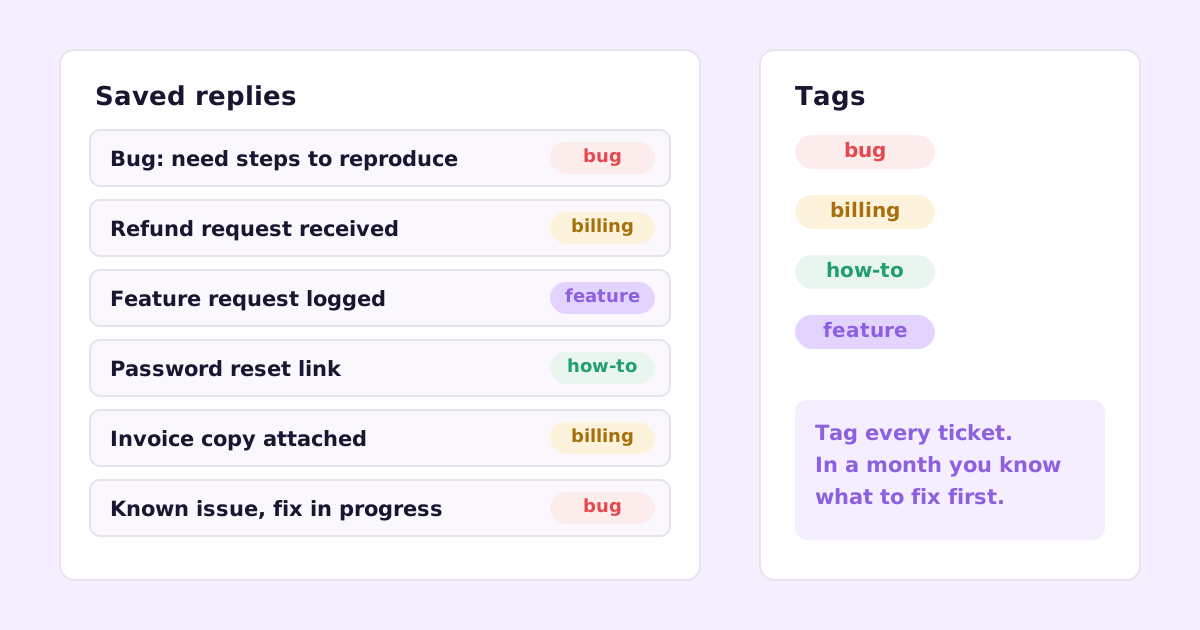
Pick four to six tags and use them on everything: bug, billing, how-to, feature-request, maybe account. It takes two seconds per conversation.
After a month, you’ll know exactly where support time goes. Lots of how-to? Your docs or onboarding need work. Lots of billing? Make billing self-serve. Lots of bugs? Slow down shipping for a week. Tags turn support from a cost into a feedback channel.
Build out your help center
Now’s the time for a proper, searchable help center. Use your tags to decide what to write: your top how-to questions first.
The trap at this stage is docs going stale. You ship weekly, the UI changes, and suddenly half your screenshots are wrong and customers email you about the mismatch. Decide now how you’ll keep docs current. Either someone owns it as part of every release, or you use a tool that does it for you. More on that in how to keep documentation up to date.
Add chat where it helps, not everywhere
Live chat is great on your pricing page and during onboarding, where a quick answer can win or save a customer. It’s less great as a site-wide widget you can’t staff, where people wait and leave.
If you add chat, set expectations honestly. “We usually reply within a few hours” is fine. A chat widget that says “online” when nobody’s there is worse than no chat.
Stage 3: Your first support hire
When support becomes a full-time job, someone needs to own it. Before you hire, a few things make that person effective from week one:
- Documented answers. Your saved replies and help articles are their training material. If answers only live in your head, the new hire will be asking you all day.
- Clear escalation rules. What can they decide alone (refunds under some amount, trial extensions)? What comes to you or engineering?
- A weekly ticket review. Fifteen minutes with the founder or product lead: top tags, notable bugs, angry customers, feature requests. This is how support insights reach the product.
- A bug process. How does a support conversation become an engineering issue, and how does the customer hear when it’s fixed?
AI-drafted replies
This is also the point where AI drafting pays off. A good setup reads your help articles, past replies and the customer’s account details, and drafts a reply that a person checks and sends. It turns writing into editing.
The quality depends entirely on what the AI can read. Thin docs give vague drafts. I wrote a full post with an example email and two replies, one generic and one grounded, in AI customer support replies that don’t sound like a bot.
The ticket-to-article habit
By now you have hundreds of resolved conversations. Many of them contain answers that should be public. Make it a rule: whenever someone answers a question that isn’t in the help center, they draft an article from it. That’s how support volume per customer goes down while you grow. The method is in turning support tickets into help articles.
Mistakes I’d avoid
Buying an enterprise helpdesk on day one. You’ll spend more time configuring workflows than answering customers.
Hiding the contact option. Some founders bury support behind a chatbot and a maze of help articles. It feels efficient. It isn’t. Annoyed customers churn, and you lose the feedback.
Auto-replies that say nothing. “We’ve received your request and will respond within 48 hours” adds no value. If you send an acknowledgement, make it useful: link the relevant help articles, set a real expectation.
Letting support live only in the founder’s inbox. It’s fine for month one. By month six it’s a bottleneck and a single point of failure.
Treating support as a cost center. Support conversations are the most direct product feedback you’ll ever get. Read them, tag them, and talk about them every week.
Never writing anything down. If you’ve answered it three times, it should be an article. If you’ve explained it to a teammate twice, it should be a saved reply or an internal note.
A minimal support stack, by stage
To make it concrete:
| Stage | Inbox | Knowledge | Other |
|---|---|---|---|
| Day one | support@ forwarding to your inbox | 3 to 5 help articles | 5 saved replies |
| Getting traction | Helpdesk or shared inbox tool | Searchable help center | Tags, chat on key pages |
| First support hire | Helpdesk with assignment | Help center kept current with releases | AI-drafted replies, weekly review, ticket-to-article habit |
Everything in the first row is free. Most of the second row has free tiers or is cheap for a small team. Don’t skip ahead.
Where Ellie fits
We’re building two products for this exact journey. Ellie Docs drafts your help center from your codebase, captures real screenshots of your app, and proposes updates as reviewable suggestions when a merged PR changes something, so your docs keep up with your releases. It has a free plan.
Ellie Desk is a shared support inbox for email, chat and a website widget. It drafts replies grounded in your knowledge base, past tickets and your Ellie Docs help center, you review and send, and a resolved ticket becomes a draft help article in one click. It’s built for founders getting support email directly and small teams answering the same questions over and over. Desk is in early access.
Questions founders ask
When should a startup hire its first support person? When support takes up enough of a founder’s week that product work suffers, and you’ve already done the cheap things: saved replies, a help center, self-serve billing. Hiring before that usually means paying someone to retype the same answers.
Should founders keep doing support after hiring? Some of it, yes. Even an hour a week reading tickets keeps you close to what customers struggle with. The weekly review covers a lot of this if you can’t do more.
Is live chat necessary for a SaaS startup? No. Email support done well is enough for many products. Add chat where a fast answer clearly matters, like the pricing page or onboarding, and only if someone can actually answer it.
If you’re setting up support and want an inbox that drafts replies from your own docs, join the Ellie Desk early-access list.